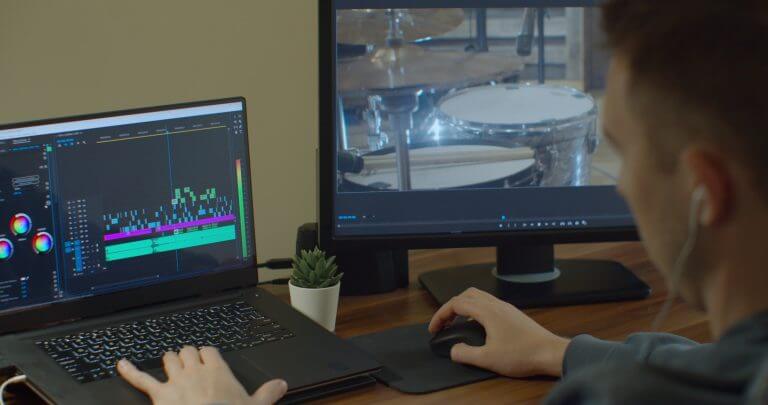
Editing audio can seem daunting at first, but it is quite easy to learn the basics. With the right tools and some guidance, you can transform your recordings into polished pieces. Many software options available today cater to various skill levels, making it accessible for anyone.
You can start with free and simple programs, which provide all the essential features to edit audio without overwhelming you. As you gain confidence, you might explore more advanced tools that offer specialised techniques and options. Understanding the fundamentals will pave the way for more creative and effective editing.
If you’re curious about how to get started and what tools will help you edit audio effectively, you’re in the right place. You’ll discover tips, techniques, and resources to make your audio projects shine.
Key Takeaways
- Basic audio editing is easy with the right tools.
- Advanced techniques are available as you progress.
- Access resources to enhance your audio projects.
Understanding Audio Editing
Audio editing involves manipulating sound recordings to create the desired final product. You will learn the basic definitions and concepts, explore various audio file formats, and understand the crucial role of audio editors in this process.
Defining Audio Editing
Audio editing is the process of altering and refining sound files. You can cut, copy, paste, or adjust segments of audio to improve clarity and flow.
Common tasks include:
- Removing background noise: This enhances the overall quality of your recording.
- Trimming unwanted parts: You can cut sections that do not contribute to the final piece.
- Adding effects: You can include echoes, reverb, or other sound enhancements to make the audio more engaging.
Understanding these tasks will help you navigate audio editing tools more effectively.
Audio File Formats
Audio files come in various formats, and each has its advantages. You will often encounter formats like:
- WAV: High quality but large file size, ideal for professional use.
- MP3: Compressed format, good for sharing and everyday use.
- AAC: Generally offers better quality than MP3 at similar bit rates.
Choosing the right audio file format is essential for maintaining sound quality and ensuring compatibility with your editing software.
The Role of Audio Editors
An audio editor is crucial in the audio production process. This individual or software handles the technical aspects of sound manipulation.
Key responsibilities include:
- Importing audio files: This is the first step in the editing process.
- Adjusting levels: Balancing audio tracks ensures all elements are heard clearly.
- Exporting final products: An audio editor prepares the finished files for distribution or further use.
Understanding the role of an audio editor helps you appreciate the intricacies involved in creating polished sound recordings.
Choosing the Right Audio Editing Software
Finding the right audio editing software is crucial for creating great audio content. You’ll want to consider the features that suit your needs, as well as the benefits of using free options available today.
Features of Professional Audio Editing Software
When selecting professional audio editing software, focus on key features that can enhance your workflow. For example, multitrack editing allows you to work on several audio tracks simultaneously, which is essential for podcasts and music production.
Real-time effects can help you modify audio as you play it back. This feature is often found in top software like Adobe Audition, which also offers powerful noise-reduction tools.
Support for various audio formats is vital as well, ensuring you can easily import and export files. Look for user-friendly interfaces that make navigation smoother, and consider built-in libraries of sound effects and music.
Benefits of Free Audio Editors
Free audio editors can be a great starting point for beginners. Software like Wondershare Filmora offers essential editing features without the cost, allowing you to explore audio editing without financial commitment.
These tools often provide a range of functionalities like basic cutting, fading, and mixing, enabling you to create quality audio. Many free options also support common formats, making collaboration easier with others working on audio projects.
Another advantage is access to community support and resources, helping you learn the ropes of audio editing. While they might lack some advanced features, free audio editors are often sufficient to meet the needs of casual users and newcomers.
Fundamentals of Editing Audio
Editing audio involves importing tracks, applying various techniques, and using effects to enhance sound. These steps are essential to ensure crisp audio output and a polished final product.
Importing and Managing Audio Tracks
To start editing, you first need to import your audio tracks into your editing software. This process typically involves dragging the audio files directly into the timeline or using an import function. Many software options allow you to organise audio tracks by naming them, so you can easily differentiate between different takes or clips.
Once imported, managing your tracks is crucial. You can splice audio to cut out unwanted sections or arrange clips in a way that flows well. It’s important to label each track clearly, as this helps keep your project organised. Additionally, consider using folders to group related tracks.
Basic Editing Techniques
Basic editing techniques can dramatically improve your audio quality. One common technique is applying a fade-in at the beginning of a track, which helps prevent abrupt starts. You can also change the audio speed to affect the overall feel of the piece, whether you want something more upbeat or relaxed.
Another key skill is to adjust levels and balance. You should ensure that all audio tracks are levelled properly. This prevents certain sounds from overpowering others, making your final product more pleasant to listen to. Using the slice tool allows you to easily cut and trim your clips to the desired lengths, enabling a smoother flow.
Applying Audio Effects and Filters
Once your tracks are laid out, you can enhance them further by applying audio effects and filters. This can include reverb or equalisation, which can transform the character of the sound. Explore your software’s effects library to find suitable options.
For instance, if you want to create a sense of space, adding reverb can be very effective. It’s also important to remember that less is often more; subtle adjustments can lead to sound improvements without overwhelming the listener. Experimenting with different effects helps you find the best sound for your project.
Advanced Audio Editing Techniques
In audio editing, advanced techniques can enhance your project significantly. You can improve sound quality, create unique effects, and manage audio tracks more efficiently.
Audio Mixing and Mastering
Audio mixing involves blending different sound elements to create a cohesive track. You can adjust levels, panning, and effects to ensure each element, whether it’s vocals or instruments, has its own space.
Consider using EQ to balance frequencies. This step helps eliminate muddiness. After mixing, mastering is crucial. It involves applying final touches like compression and limiting to ensure your track sounds polished on all playback systems.
Familiarise yourself with software like Pro Tools or Logic Pro, which provide valuable tools for mixing and mastering. You can create professional-quality audio by paying attention to details.
Restoration and Noise Reduction
Background noise can distract from your audio. Restoration techniques help clean up recordings, making your work sound more professional. Tools such as noise gates, spectral repair, and de-essers can reduce unwanted sounds effectively.
Start by identifying the noise type—be it hum, hiss, or clicks. Using filters, you can isolate and remove these disturbances without affecting the main audio quality.
Software like Audacity or Adobe Audition offers features that make restoration intuitive. By honing these skills, you enhance the listening experience and maintain clarity in your recordings.
Creative Uses of Sound Effects and Music
Incorporating sound effects and music can elevate your audio projects. These elements add depth, emotion, and engagement. You can use Foley techniques to create realistic sounds that match your visuals or enhance storytelling.
When editing music, explore layering to build texture. Experiment with different sound effects that evoke specific feelings, whether it’s suspense or joy.
Selecting the right music for your project is essential. Royalty-free music libraries provide a variety of options. Always ensure that the music aligns with your project’s tone and message to create a more immersive experience for your audience.
Specialised Audio Editing Applications
Editing audio involves various specialised applications tailored for specific tasks. These tools make it easier to work with different types of audio, whether you’re focusing on music, voice tracks, or podcasts. Below are the key areas in audio editing.
Editing Music and Voice Tracks
When editing music and voice tracks, a music editor is essential. Popular software like Logic Pro and Pro Tools allows you to cut, paste, and refine audio. You can easily adjust pitch, tempo, and volume levels.
Using voice changers can enhance recordings by modifying tone and effects. This is particularly useful for creating unique sounds or character voices in music and projects. Make sure to balance instrument and vocal tracks for a polished final product.
Producing Podcasts and Spoken Content
Podcast production requires a clear focus on dialogue and sound quality. You can use editing applications like Audacity to remove background noise and improve clarity.
Record your voice in a quiet environment, then layer in music or sound effects as needed. Use markers to identify sections for easier navigation during the editing process. Ensuring your audio is consistent in volume helps keep listeners engaged.
Audio for Video and Film Production
In video and film production, audio quality is crucial. You must sync audio with visual elements precisely. Software like Filmora offers tools to align audio tracks with video clips seamlessly.
Background music can enhance the emotional tone of scenes. You can also layer in voiceovers for narration or character dialogues. Always monitor the sound levels to avoid overwhelming your audience with excessive volume.
Using these specialised applications will enhance your audio editing skills and help create polished, professional content.
Incorporating Background Music and Ambience
Adding background music and ambience can significantly enhance your audio projects. These elements create mood and keep your audience engaged.
Choosing Background Music:
- Select music that matches the tone of your content.
- Ensure it does not overpower your main audio.
Types of Background Music:
- Classical: Great for calm and professional settings.
- Upbeat: Works well for lively presentations.
- Ambient: Ideal for creating a soothing atmosphere.
Incorporating Ambience:
Ambience refers to the background sounds that set the scene. This could include nature sounds, city noise, or soft chatter in a café.
- Ambient sounds should blend seamlessly with your main audio.
- They can be used to transport listeners to a different environment.
Tips for Combining Elements:
- Use audio editing software to layer sounds.
- Adjust volumes to maintain balance.
- Experiment with placement to find the right mix.
Consider using resources like Audacity for easy editing and integration of these elements.
With the right approach, incorporating background music and ambience can transform your audio into a richer, more immersive experience.
Exporting and Sharing Your Audio Project
Once you have finished your audio project, the next step is to export and share it. This process involves selecting the correct file format and quality. It also includes choosing the right platforms to reach your audience. Here’s what you need to know.
File Formats and Quality Options
When exporting your audio project, it’s essential to select the right file format. Common options include:
- MP3: A popular format for music and podcasts due to its good balance between quality and file size.
- WAV: Lossless format, which provides higher quality sound but results in larger file sizes.
- AAC: Often used by Apple devices, it offers better quality than MP3 at similar bitrates.
When choosing a format, consider where you will share your audio. Higher quality formats like WAV are ideal for professional audio work, while MP3 is suitable for streaming and casual listening. Additionally, ensure that you select the appropriate bitrate. A bitrate of 192 kbps is generally sufficient for most needs, while 320 kbps offers near-CD quality.
Online Platforms for Audio Sharing
After exporting your audio, sharing it online can help you connect with listeners. Here are some popular platforms:
- SoundCloud: This is Great for musicians and podcasters. It allows for easy sharing and audience engagement.
- YouTube: This is Perfect for audio-visual projects. You can upload your audio with visuals to attract more viewers.
- Spotify: Ideal for music distribution. You’ll need to go through a distributor, which can take time but offers a broad reach.
Each platform has its unique features. For example, SoundCloud enables direct interaction with listeners, while YouTube can introduce your audio to a wider audience. Be mindful of the requirements and best practices for each platform to optimise your audio sharing experience.
Frequently Asked Questions
Editing audio can seem daunting, but there are many resources and software options available to help you. This section addresses common questions about audio editing, including software recommendations, efficient editing techniques, and more.
What are the best free audio editing software options available?
Some of the best free audio editing software options include Audacity, which is widely recognized for its user-friendly interface and powerful features. GarageBand is another solid choice for Mac users, offering a range of built-in instruments and effects. Additionally, Ocenaudio is praised for its simplicity and speed.
How can one edit audio files efficiently?
To edit audio files efficiently, start by organising your audio tracks into clear sections. Use shortcuts for common tasks like cutting and pasting. Familiarise yourself with the software’s features and consider using templates for frequently used setups to save time.
What is the typical duration required to edit one hour of audio?
The time it takes to edit one hour of audio can vary significantly based on the complexity of the edit. On average, you might spend anywhere from two to four hours, depending on factors like adding effects or cutting unnecessary segments.
Can audio files be modified after recording?
Yes, audio files can be modified after recording. You can cut, paste, adjust volumes, and apply effects using audio editing software. This allows you to enhance the quality and clarity of your recordings.
Which software do professionals recommend for audio editing?
Professionals often recommend software like Adobe Audition and Pro Tools for advanced audio editing. These tools are known for their comprehensive features and are widely used in the industry for both music and voice recordings.
Are there online resources that facilitate easy audio editing?
Yes, there are various online resources for easy audio editing. Websites like Audacity Online and Soundtrap allow you to edit audio directly in your browser. These platforms often offer collaboration features, making it simple to work on projects with others.