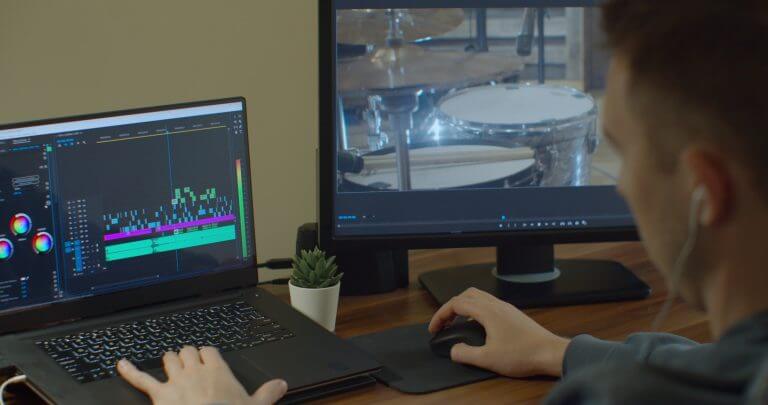
Audio editing is a crucial part of producing high-quality sound for music, podcasts, and various multimedia projects. The three main types of audio editing are mixing, mastering, and corrective editing. Each type plays a distinct role in enhancing audio quality and ensuring the final product meets your expectations.
As you explore the world of audio editing, you’ll discover how mixing blends multiple audio tracks together. Mastering prepares the mix for distribution, optimising sound levels and clarity. Corrective editing focuses on fixing specific issues in recordings, such as removing unwanted noises or adjusting timing.
Understanding these three types of audio editing will empower you to improve your skills and produce superior audio outputs. You’ll be better equipped to tackle challenges in music production and create convincing audio that resonates with your audience.
Key Takeaways
- Mixing blends different audio tracks for a cohesive sound.
- Mastering enhances audio quality for sharing and distribution.
- Corrective editing fixes specific recording issues for better clarity.
Basics of Audio Editing
Audio editing involves various techniques and formats to manipulate sound. Understanding the basics is essential for achieving high-quality results in your audio projects. This section covers important aspects of audio formats and the nature of audio signals.
Understanding Audio Formats
Audio formats determine how sound is stored and played back. Common formats include WAV, FLAC, MP3, and AAC.
- WAV: A lossless format that provides high-quality sound but takes up more space.
- FLAC: Also lossless, FLAC compresses audio without loss of quality, making it a great option for audiophiles.
- MP3: A popular lossy format, it reduces file size significantly but can lose some audio quality.
- AAC: Similar to MP3 but typically provides better sound quality at the same bitrate.
OGG is another format, often using Ogg Vorbis compression. It is an efficient lossy format ideal for streaming.
Audio Signal and Sound Waves
An audio signal represents sound waves, which are vibrations in the air. These waves can be captured and edited to create various audio experiences.
Sound waves can be viewed as a series of peaks and troughs, which correspond to the sound’s amplitude and frequency. You can modify these signals during editing to enhance clarity or alter pitch.
Adjustments might include cutting unwanted sections, mixing different tracks, or applying effects. Understanding how to manipulate these waves is crucial for clear audio output.
By working with different formats and signals, you can achieve professional-quality editing in your projects.
Types of Audio Editing
Audio editing can be divided into three main types: destructive, non-destructive, and real-time editing. Each method has its unique approach to processing audio, impacting the way you manage dynamic range and overall sound quality.
Destructive Editing
Destructive editing is a method where changes are made to audio files permanently altering the original tracks. This means that once you apply audio processing, such as EQ adjustments or volume changes, those edits cannot be undone.
You can manipulate the waveform, apply effects, or remove sections directly. While this method can optimise RAM usage, it carries the risk of losing your original audio quality.
Many professionals avoid this approach for final mixes due to its permanence. However, it offers a straightforward way to achieve a specific sound quickly.
Non-Destructive Editing
Non-destructive editing allows you to make changes to audio without altering the original file. This is done by applying effects and edits in a way that can be reversed at any time.
You can experiment freely with different EQ settings, volume adjustments, and dynamic range enhancements without fear of losing your original track.
This approach is particularly beneficial when working with complex projects that require multiple revisions. Non-destructive editing is commonly used in digital audio workstations (DAWs), which retain all edits in a separate layer of metadata.
Real-Time Editing
Real-time editing involves making adjustments to the audio signal while it’s playing back. This method can include applying effects, tweaking levels, and monitoring changes instantly.
You can alter EQ settings or modify dynamic range as you listen, allowing for immediate feedback. This is especially useful when performing live recordings or mixing in front of an audience.
Real-time editing also maximises your workflow, as changes can be made swiftly without pausing the playback. However, it may require more RAM and processing power, particularly with complex effects or large audio files.
Audio Editing Techniques
Audio editing involves various techniques to enhance sound quality and clarity. Each method focuses on improving specific aspects of audio, making it more engaging and easier to listen to. Here are three key techniques to consider.
Compression and Equalisation
Compression reduces the dynamic range of audio. This means it lowers the volume of loud sounds and raises the volume of quiet ones. You can balance the audio levels, making voices or instruments clearer.
Equalization (EQ) adjusts the balance between frequency components. You can boost or cut certain frequencies to improve clarity.
For example, reducing low frequencies can remove muddiness, while enhancing high frequencies can add brightness.
You could use a graphic equaliser to visualise adjustments. This can help you find the right balance, making your audio sound professional and polished.
Noise Reduction and Echo Removal
Noise reduction techniques eliminate unwanted sounds. This includes background hums, hisses, or other distractions. You may use software tools that identify and remove these noises without affecting the main audio.
Echo removal helps to manage reflections that can distort sound. It is particularly useful in recordings made in reverb-heavy environments. You can apply various algorithms to reduce echo, making spoken words clearer and music more precise.
Both techniques are vital in achieving high-quality audio, ensuring that the focus remains on the intended sounds.
Modulation and Spatial Effects
Modulation alters audio signals to create interesting effects. You can use techniques such as chorus, flanging, or phasing to add depth and movement to your tracks.
Spatial effects, like delay and panning, help create a three-dimensional soundstage. Delay adds a time-based effect, making sounds appear as if they come from different distances. Panning spreads the sound across the stereo field, allowing for a more immersive listening experience.
Combining these effects can significantly enhance your audio, making it dynamic and engaging.
Mixing and Mastering
Mixing and mastering are crucial steps in audio production that enhance sound quality and ensure a polished final product. Understanding how to balance levels and apply compression can significantly improve the listening experience.
Balancing Levels
Balancing levels is about adjusting the volume of each track in a mix to create harmony. This step is essential because it ensures that no single element overwhelms the others. You can achieve balance by using faders in your digital audio workstation (DAW).
Start by listening to each track individually. Identify the key instruments and vocals that should stand out. Then, adjust their levels relative to others in the mix.
Make use of panning to position sounds within the stereo field. This helps create a sense of space. Avoid cramming too many elements in the centre. Instead, distribute them across the left and right channels for clarity.
Applying Dynamic Range Compression
Dynamic range compression is a vital tool in audio mixing. A compressor reduces the gap between the loudest and quietest parts of a track. This makes the audio more consistent and controlled.
To apply compression effectively, set the threshold to determine when the compressor activates. The ratio controls how much compression occurs. A higher ratio results in a more pronounced effect.
Pay attention to the attack and release settings. Attack time dictates how quickly the compressor reacts, while release time affects how quickly it returns to normal. These settings shape the sound and maintain its natural feel.
Using compression correctly improves the overall audio quality, ensuring a polished mix.
Workflow Enhancements
Enhancing your audio editing workflow can lead to better productivity and efficiency. Two key strategies to achieve this are utilising drag-and-drop functions and leveraging RAM for faster processing.
Utilising Drag and Drop
Drag-and-drop functionality significantly simplifies the audio editing process. Instead of navigating through menus, you can quickly move audio clips between tracks or projects with ease.
This feature enhances your workflow by allowing you to:
- Organise clips efficiently: Easily rearrange segments to find the best order.
- Import files quickly: Simply drag audio files from folders into your editing software.
- Reduce time spent navigating: Cut down on clicks and scrolling, letting you focus on creativity.
Many modern audio editing tools support this feature, making it a standard part of a streamlined workflow. By mastering drag-and-drop capabilities, you can speed up your editing tasks and reduce frustration.
Leveraging RAM for Speed
Utilising your computer’s RAM is essential for efficient audio editing. A system with sufficient RAM can handle larger files and multiple tracks without lagging.
Consider these advantages:
- Faster processing times: More RAM allows for quicker rendering and playback, making it easier to work with complex projects.
- Smooth multitasking: You can run multiple applications or plug-ins simultaneously without a drop in performance.
- Improved editing experience: With enough RAM, you can edit high-resolution audio files seamlessly.
To optimise your setup, aim for at least 16GB of RAM if you frequently work with large audio projects. This upgrade can greatly improve your workflow and overall productivity.
Audio Editing Software
Choosing the right audio editing software is crucial for achieving high-quality results. You have options that cater to both professionals and those just starting out. Understanding these options will help you select the best fit for your audio editing needs.
Professional Audio Editing Solutions
When it comes to professional audio editing, software like Pro Tools, Logic Pro, and Ableton Live stands out. These tools offer advanced features designed for high-quality audio production.
- Pro Tools: Known for its superior audio quality, Pro Tools supports various formats, including WAV and FLAC. It’s often used in studios for music and film.
- Logic Pro: This is a favourite among Mac users. It provides a wide range of available plugins for enhancing audio.
- Ableton Live: Great for live performances, it also excels in audio manipulation and editing, with a user-friendly interface.
These programs can be quite special, allowing for intricate editing while retaining audio quality. They may come with a significant price tag, but the investment often pays off in professional environments.
Free and Open-Source Options
For those on a budget, there are great free and open-source audio editing options available. Audacity is the most notable among them. This software allows you to edit, manipulate, and improve audio tracks without any cost.
- Audacity: It has basic editing features, supports multiple audio formats, and is suitable for various projects.
- Ocenaudio: Another easy-to-use program, it offers real-time effects and a simple design, making it great for quick edits.
Both choices provide access to quality audio editing without the need for a financial commitment. These tools focus on producing good audio quality and they can handle files in formats such as WAV and FLAC effectively.
By exploring both professional and free options, you can find the audio editing software that meets your specific needs.
Frequently Asked Questions
Audio editing is a vital part of sound production. Understanding the different aspects can greatly improve your skills and efficiency in this area. Below are key points that address common inquiries related to audio editing.
What categories of audio editing software are prevalent in the industry?
In the industry, you’ll find several categories of audio editing software. Digital Audio Workstations (DAWs) like Pro Tools and Ableton Live are popular for music production. Simple editors, such as Audacity, are great for beginners or basic tasks. There are also specialised tools for sound design and audio restoration.
Can you explain the essential principles of audio editing?
Essential principles of audio editing include clarity, timing, and balance. You’ll want to ensure that the audio is clear and free of unwanted noise. Proper timing is crucial, especially when syncing audio with video. Balancing different sounds helps create a cohesive listening experience.
How does audio editing software enhance sound production?
Audio editing software enhances sound production by offering tools for mixing, effects, and automation. You can easily adjust levels, apply effects, and save time with automated processes. This software allows for precise control over each element, leading to a polished final product.
What techniques are commonly employed in audio editing?
Common techniques in audio editing include cutting, fading, and layering tracks. Cutting helps eliminate unwanted parts, while fading can smooth transitions. Layering tracks allows you to create rich soundscapes by combining different audio elements effectively.
Why is audio editing considered crucial in multimedia production?
Audio editing is crucial in multimedia production because it ensures that the sound quality matches the visual content. Good audio can enhance the emotional impact of a scene and improve audience engagement. Without proper editing, the overall experience can feel disjointed or unprofessional.
What are the distinguishing features of audio editing effects?
Audio editing effects can typically be distinguished by their impact on sound quality and character. Common effects include reverb, which adds space, and equalisation, which adjusts frequency balances. Each effect has a unique function, allowing you to tailor sounds to fit the desired outcome.