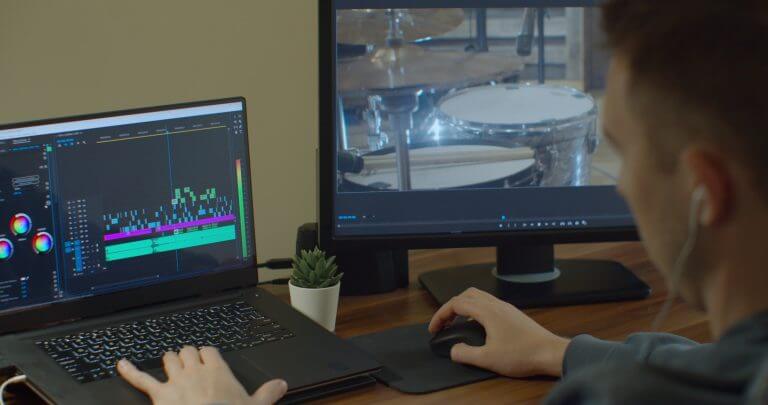
Music editing is an essential skill for anyone looking to create high-quality audio tracks. Whether you are a podcaster, musician, or content creator, having the right tools can make a significant difference in your final product. The best music editing software combines user-friendly features with powerful editing capabilities, allowing you to enhance your audio with ease. From trimming and merging tracks to adding effects and EQ adjustments, the right software can elevate your work to a professional level.
With numerous options available, selecting the best audio editing software can feel overwhelming. Each programme comes with its own unique features, tailored to different user needs. Understanding what you require from a music editor will help you make an informed choice and streamline your editing workflow.
In this article, you will discover the most popular audio editing software options available today, their key features, and tips for enhancing your music projects. Get ready to transform your audio creations and find the perfect music editing solution for your needs.
Key Takeaways
- The right software is vital for effective audio editing.
- Understand your needs to select the best music editor.
- Explore features that can enhance your editing workflow.
Understanding Audio Editing
Audio editing involves several important concepts that help you create the best sound for your music projects. Familiarity with basic terms and processes is crucial for effective audio editing and manipulation.
Core Concepts in Audio Editing
When you edit audio files, you focus on key aspects like sample rate and bit depth. The sample rate determines how many samples of audio are captured each second. Common rates include 44.1 kHz for CDs and 48 kHz for video.
Bit depth affects audio quality; higher bit depths provide better dynamic range. 16-bit is standard for CDs, while 24-bit is preferred in professional music production.
You might also encounter non-linear editing (NLE). This approach allows you to manipulate audio files without altering the original material, enabling you to make changes easily and revert to earlier versions.
Common Audio File Formats
Different audio file formats offer unique features, affecting how you edit and store music. Here are some common formats:
- WAV: A high-quality, lossless format often used in professional settings.
- FLAC: A lossless format that reduces file size without sacrificing quality.
- M4A: Commonly used for Apple music, it balances sound quality with compression.
- OGG: An open-source format known for efficient compression.
Each format has its pros and cons. For instance, while WAV files provide high-quality audio, they take up significant storage. In contrast, formats like WMA and M4A offer varied compression levels, making them suitable for streaming.
Non-Linear Editing and Signal Routing
Non-linear editing gives you the flexibility to arrange and manipulate your music tracks efficiently. It allows you to position audio clips on a timeline without affecting the original recording. This feature is especially useful for experimenting with different arrangements.
Signal routing is another key concept. It involves directing audio signals through various channels. This can include effects processing, balancing levels, and more. Understanding routing helps you manage complex projects.
By using virtual mixers and effect chains in your editing software, you can tailor your sounds precisely to your vision. These tools help enhance your audio and achieve a polished final product.
Fundamental Editing Tools
When it comes to music editing, knowing the fundamental tools is essential. These tools help you manipulate audio tracks effectively, enabling you to create polished and professional-sounding music. This section delves into key operations and features that enhance your editing experience.
Basic Operations: Cut, Trim, and Copy
Basic operations are the foundation of any audio editing process. You can cut, trim, and copy sections of your audio track to manipulate its structure.
- Cut: This operation removes a selected portion of your audio. Use it to eliminate unnecessary sections.
- Trim: Trimming adjusts the start and end points of your audio, helping you remove silence or unwanted noise.
- Copy: This duplicates a selected segment without deleting it, allowing for easy insertion elsewhere in your project.
In most software, these operations can be performed using keyboard shortcuts, speeding up your workflow.
Adjusting Audio Parameters
Tweaking audio parameters is crucial for achieving the desired sound. You can control various aspects like volume, EQ, and dynamics to enhance your tracks.
- Volume: Adjusting the overall volume ensures the audio fits well within your mix. Use amplification to boost quiet sections or reduce louder parts.
- EQ (Equalization): This tool balances frequencies to improve clarity or remove unwanted sounds. You can boost highs for brightness or cut lows for a cleaner sound.
- Dynamics: Manipulating dynamics shapes the audio’s impact. It can enhance or soften parts of a track, making it more engaging.
These adjustments help you create a professional-sounding mix.
Advanced Features: Crossfade and Automate
Advanced editing features take your music production to the next level. Two key features are crossfade and automation.
- Crossfade: This technique allows you to blend two audio clips, creating a smooth transition between them. It’s useful for overlapping sounds or fading out one track while fading in another.
- Automate: Automation lets you control various parameters over time, such as volume and effects. You can set specific changes to occur at designated points, adding dynamics and emotion to your music.
By mastering these advanced tools, you can create more intricate and polished audio projects.
Popular Audio Editing Software
When choosing audio editing software, it’s essential to consider your skill level and specific needs. Options range from beginner-friendly tools to professional-grade platforms that offer advanced features.
Software for Beginners
If you’re new to music editing, you want software that is user-friendly and intuitive. Audacity is a great starting point. It’s a free audio editor that offers basic features like recording, cutting, and mixing audio tracks. The simple interface makes it easy to learn for anyone.
GarageBand is another excellent choice for Mac users. It provides an array of loops, instruments, and MIDI editing options. The drag-and-drop functionality allows you to create music quickly without extensive training.
Both options are perfect for beginners looking to start their audio editing journey without feeling overwhelmed.
Professional Software Choices
For those who are more experienced, professional software choices provide advanced features and more control over your music. Adobe Audition is a powerful tool used in the industry. It offers multi-track editing, noise reduction, and a wide range of effects. It’s a great option for professionals who need precise audio editing features.
Ardour is another noteworthy mention for professionals. As a digital audio workstation (DAW), it provides extensive MIDI editing capabilities, along with robust audio recording and mixing functionalities. While it has a steeper learning curve, it’s highly versatile for complex projects.
These tools cater to those who require in-depth editing options and high-quality output.
Free Audio Editing Software
You don’t always need to spend money to get quality audio editing software. Ocenaudio is a great free alternative that offers a simple interface and essential audio editing features. It supports various file formats and provides real-time effect previews, making it easy to work with audio.
In addition, Audacity again stands out as a top choice due to its extensive features without the cost. It’s ideal for users who want to explore audio editing without commitment.
These free options make it accessible for anyone to embark on their audio editing projects without financial barriers.
Enhancing Audio with Effects and Plugins
To elevate your audio projects, you can use effects and plugins. These tools allow you to manipulate sound creatively, apply necessary corrections, and add unique elements. You can enhance your tracks, remove unwanted noise, and achieve a polished, professional sound.
Applying Effects and Filters
Applying effects can transform your audio from ordinary to extraordinary. Common effects include reverb, delay, and EQ (equalisation). Reverb adds a sense of space, while delay can create rhythm and depth.
You might want to remove background noise to clarify your recordings. Software often includes noise-reduction tools that focus on eliminating unwanted sounds. Additionally, fading effects can help in making smooth transitions at the start or end of your audio clips. These changes can improve the overall quality of your recordings greatly.
Utilising MIDI and Virtual Instruments
MIDI is essential for music production as it allows you to control virtual instruments. With MIDI, you can create melodies and rhythms that match your vision. Virtual instruments offer a wide array of sounds, from realistic pianos to synthesised pads.
You can also use voice changers to modify vocals, providing creative options for expression. This versatility lets you craft unique sounds and styles in your music. By experimenting with MIDI inputs, you can fine-tune each aspect, ensuring your audio resonates with listeners.
Expanding Capabilities with Plugins
Plugins are powerful tools that expand the functionality of your editing software. They come in various forms, including VSTs (Virtual Studio Technology) and AUs (Audio Units). These plugins offer specialised effects, instruments, and enhancements tailored to your needs.
Some popular audio effects plugins include those for compression, limiting, or advanced sound design. These tools enable precise control over dynamics and allow for intricate layering of sounds. Incorporating plugins can improve your workflow and unlock new creative avenues. They form an essential part of a modern audio editing setup, enhancing your overall production quality.
The Editing Workflow
The editing workflow in music software is essential for producing high-quality audio. A clear understanding of how to import audio, manage tracks, and finalise your project will greatly enhance your editing efficiency and output quality.
Importing and Managing Audio Files
To start, you’ll need to import audio files into your project. Most software allows you to easily drag and drop files from your computer or use the import function.
Once your files are in the session, proper organisation is key. Use folders or track groups to manage your audio effectively. This approach makes it easier to locate specific tracks during editing.
If you have recordings with unwanted background noise, many audio editors offer tools to help you remove noise. Use these tools to ensure a clean sound. Additionally, ensure that audio files are in sync with your project timeline. This can involve adjusting the position of tracks or applying time-stretching as needed.
Multitrack Editing and Mixing
Multitrack editing allows you to work with multiple audio sources simultaneously. This is where you can layer vocals, instruments, and effects.
As you edit, focus on balancing levels and panning each track appropriately. This enhances the clarity and depth of your mix. Tools like equalisation can help shape the sound of each track.
When you’re ready to mix, use your audio interface to monitor levels. Ensure that no track is clipping and that you have enough headroom.
Take advantage of automation to adjust levels and effects dynamically throughout the song. This can help create movement in your mix and highlight specific elements.
Finalising and Exporting Your Project
After editing and mixing, the final step is to export your project. Most software enables you to choose from various file formats like WAV, MP3, and AIFF, depending on your needs.
Before exporting, double-check your mix for any issues, such as phasing or artifacts. Use mastering tools to add a final polish, adjusting the overall EQ and compression.
Finally, set the correct bitrate and sample rate for your export based on the platform where you will distribute your music. Remember to save your project file as well so you can return to it for future adjustments.
Software-Specific Features
Different music editing software offers unique features that enhance your editing experience. Knowing how these features can help with usability and customisation is key to choosing the right tool for your needs.
User Interface and Usability
A clean and intuitive user interface is essential for efficient music editing. Most software includes a drag-and-drop feature that allows you to easily arrange audio clips, making the workflow smoother.
You’ll find that many programs have toolbars and panels that are customisable to fit your editing style. Look for software that allows you to tailor the layout for quick access to the tools you use most.
Responsive design is important, too. It ensures that your editing software works well on various devices, like tablets or laptops, providing flexibility in different environments.
Customisation and Programming
Customisation can significantly enhance your music editing efficiency. Some software offers programming options, allowing you to automate repetitive tasks. This can save you time and streamline your workflow.
You might prefer platforms that support plugins or extensions. These additions can expand the software’s capabilities, enabling you to add special effects or instruments that fit your project.
Consider any learning curves that come with these customisation features. Some software may provide tutorials or community support to help you get started, making it easier to leverage advanced functions.
In conclusion, selecting music editing software depends on its user interface, usability, and customisation capabilities.
Selecting the Right Software for Your Needs
Choosing the right music editing software depends on your specific goals and projects. Whether you are creating music, producing podcasts, or editing videos for social media, each task requires different features and tools. Below are two important areas to consider.
Music Production and Podcast Creation
For music production and podcast creation, look for software that has robust audio editing features. Essential tools include multi-track recording, equalisation, compression, and effects like reverb or delay. Applications like Pro Tools and Logic Pro X are popular among musicians due to their comprehensive capabilities.
You should also consider the user interface and workflow. Software with a simple layout can help you navigate quickly, which is crucial during live sessions. If you plan to create podcasts, ensure the software supports features like easy voice editing and noise reduction to enhance audio quality.
Additionally, some software options offer built-in libraries of sounds or loops that can save you time. This is particularly beneficial for musicians who need inspiration or quick fixes during production.
Software for Video Production and Social Media
When focusing on video production and social media, your software should also handle audio effectively. Many video editing tools come with built-in audio editing features tailored for social media content. Look for software like Adobe Premiere Pro or Final Cut Pro, which allow for seamless integration of audio and video.
You should prioritise software that allows precise syncing of audio with video. Features such as audio ducking for background music can improve the clarity of spoken content, making it ideal for social media posts.
Also, consider software that enables easy export in formats suitable for various platforms. This can save you time and effort when sharing your content across different social media sites.
Frequently Asked Questions
When looking for the best music editing software, several factors come into play. You might want to consider your experience level, the specific features you need, and whether you are looking for free or paid options. Here are some common questions regarding audio editing software.
What are the top audio editing applications for professionals?
Professionals often turn to industry-leading software like Pro Tools, Logic Pro, and Ableton Live. These applications offer advanced features for recording, mixing, and editing music projects. Each has its strengths, catering to different types of music production.
Are there any completely free audio editing tools available?
Yes, there are several free audio editing tools you can use. Audacity is a popular choice for its robust features and ease of use. GarageBand is another good option if you are on a Mac, offering an intuitive interface and decent functionality for beginners.
Which music production software is best for beginners?
For beginners, GarageBand and FL Studio are excellent starting points. GarageBand provides a user-friendly experience, while FL Studio offers a good balance of features and simplicity. Both make it easier to learn music production basics without overwhelming you.
What software do experts recommend for editing music videos?
Experts typically recommend Adobe Premiere Pro and Final Cut Pro for music video editing. These programs provide powerful editing tools and effects that can elevate your video. They also allow for seamless integration with audio editing software.
How does one choose the best audio editing software for home computers?
To choose the best audio editing software for home use, consider your specific needs and hardware capabilities. Look for applications that are user-friendly and compatible with your operating system. Reading reviews and trying free trials can also help you make an informed decision.
Can you suggest a reliable music editing app for Android devices?
A reliable app for Android devices is BandLab. It allows you to record, edit, and mix music right from your phone. Another great option is FL Studio Mobile, which provides a range of features suitable for music production on the go.