If you’re managing a website or creating digital content, you need a content management system (CMS). A CMS is a software application that helps you create, manage, and publish digital content on the web. It allows you to create and edit content without needing to know HTML or other programming languages. With a CMS, you can easily manage your website’s content, structure, and design.
There are many benefits to using a content management system. One of the main benefits is that it simplifies the process of creating and publishing content. You don’t need to know how to code or design to create content, and you can publish your content quickly and easily. A CMS also helps you keep your content organized, making it easier to find and update.
Additionally, a CMS can help you improve your website’s search engine optimization (SEO) by making it easier to create and manage content that is optimized for search engines.
Key Takeaways
- A content management system simplifies the process of creating and publishing content.
- A CMS helps you keep your content organized and makes it easier to find and update.
- A CMS can help you improve your website’s search engine optimization (SEO).
Fundamentals of Content Management Systems
Content management systems (CMS) are digital tools that help in creating, managing, and publishing digital content. CMS allows you to streamline your content creation workflow, ensuring consistency and efficiency in your content publishing process.
Defining Content Management System (CMS)
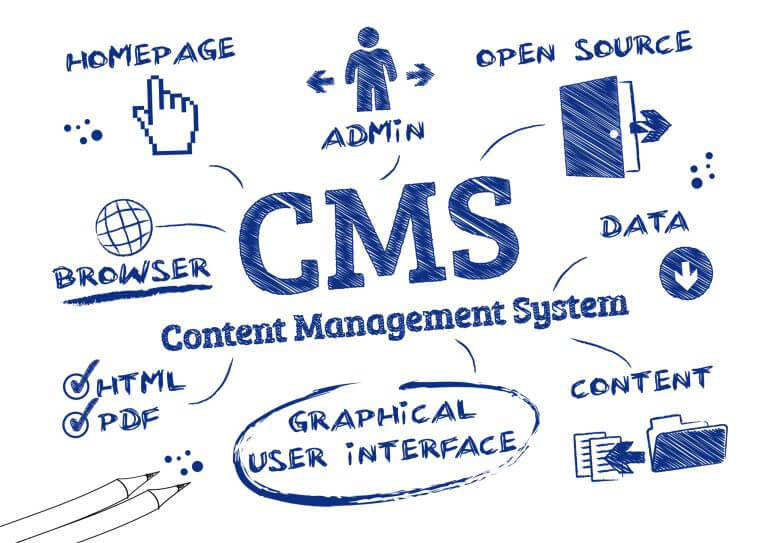
A content management system is a software application that enables you to create, manage, and publish digital content, such as websites, blogs, and social media posts. CMS provides a user-friendly graphical user interface (GUI) that allows you to manage your digital content without the need for coding skills.
Core Components of CMS
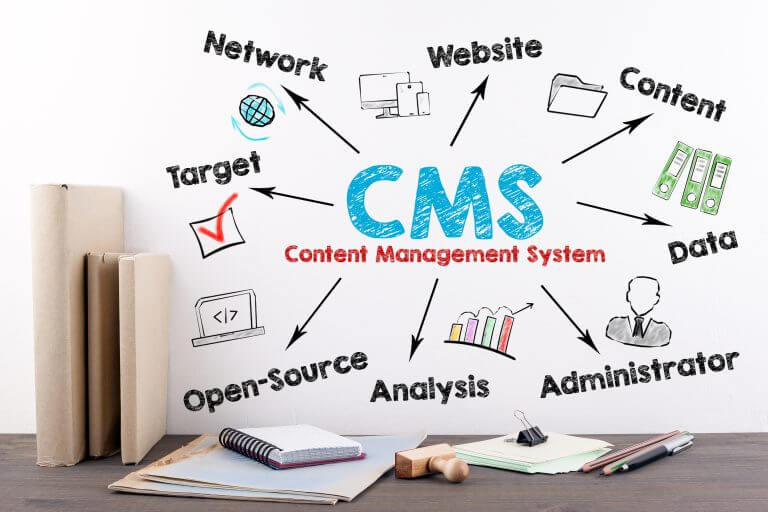
The core components of a CMS include content creation, editing, permissions, workflows, content organization, and publishing.
- Content Creation: CMS allows you to create digital content using a visual content editor, which provides a user-friendly interface for creating and editing content.
- Editing: CMS enables you to edit digital content efficiently, ensuring that your content is up-to-date and relevant.
- Permissions: CMS provides access control features that allow you to manage user permissions, ensuring that only authorized users can access and modify your digital content.
- Workflows: CMS provides a workflow management system that enables you to streamline your content creation process, ensuring that your content is created, reviewed, and approved before publishing.
- Content Organization: CMS provides a content organization system that enables you to organize your digital content efficiently, ensuring that your content is easy to find and access.
- Publishing: CMS provides a content delivery system that enables you to publish your digital content to multiple channels, such as websites, social media, and emails.
Overall, CMS is a cost-effective solution for ideation, planning, creation, storage, and distribution of digital content. CMS enables you to create personalized content that is SEO-friendly, mobile-friendly, and user-friendly, ensuring a better customer experience. CMS also provides customization options that allow you to create a consistent brand experience across multiple channels.
Popular CMS platforms include Squarespace, Wix, and Joomla, which provide templates and cloud-based solutions for creating and managing digital content. CMS is widely used by marketers, businesses, and enterprises for content marketing, content scheduling, and content workflows. CMS is also used for creating apps, e-commerce sites, and enterprise content management systems.
Benefits of Implementing a CMS
If you are running a website, you need to manage your content efficiently. A content management system (CMS) is a software application that enables you to create, manage, and publish digital content. By implementing a CMS, you can streamline your content creation and management process, enhance collaboration and workflow efficiency, improve security and permissions management, increase website accessibility and SEO, and ensure consistent branding and design.
Streamlined Content Creation and Management
A CMS simplifies the content creation and management process by providing a user-friendly interface that allows you to create, edit, and publish content without any technical knowledge. With a CMS, you can easily upload images, videos, and other multimedia content, and format your text with ease. You can also schedule content publication, set up workflows, and manage multiple authors to ensure that your content is always up-to-date.
Enhanced Collaboration and Workflow Efficiency
A CMS allows multiple users to collaborate on the same content, which can improve workflow efficiency and reduce errors. You can set up workflows to ensure that content is reviewed and approved before publication, which can help maintain quality and consistency. A CMS also allows you to track changes and revisions, which can help you identify and resolve issues quickly.
Improved Security and Permissions Management
A CMS provides robust security features that can help protect your website from cyber-attacks and data breaches. You can set up user permissions to control who can access and edit your content, which can help prevent unauthorised changes. A CMS also provides regular updates and patches to ensure that your website is always secure and up-to-date.
Increased Website Accessibility and SEO
A CMS can help you improve your website’s accessibility and search engine optimisation (SEO) by providing features such as metadata management, sitemaps, and URL structure optimisation. A CMS also allows you to create responsive designs that are compatible with mobile devices, which can help improve user experience and increase engagement.
Consistent Branding and Design
A CMS allows you to create and maintain a consistent brand image and design across all your web pages. You can set up templates and style guides to ensure that your content is always presented in a consistent and professional manner. A CMS also allows you to manage your digital assets, such as logos and images, which can help maintain brand consistency.
In summary, implementing a CMS can help you streamline your content creation and management process, enhance collaboration and workflow efficiency, improve security and permissions management, increase website accessibility and SEO, and ensure consistent branding and design.
CMS in Digital Marketing and SEO
If you are looking to improve your digital marketing and SEO efforts, you should consider leveraging a Content Management System (CMS). A CMS is a software application that helps you manage digital content, including text, images, videos, and other multimedia. In this section, we will discuss how a CMS can benefit your content marketing and SEO strategies.
Leveraging CMS for Content Marketing
One of the primary benefits of using a CMS for content marketing is the ability to streamline content workflows. A CMS allows you to create, edit, and publish content in one central location. This makes it easier to manage content across multiple channels, including social media, email, and your website.
A CMS also allows you to personalize content for your audience. You can create different versions of your content for different segments of your audience, based on factors such as location, interests, and browsing history. This can help you deliver more relevant content to your audience and improve engagement.
SEO Benefits of Using a CMS
Using a CMS can also have significant SEO benefits. Many CMS platforms are designed to be SEO-friendly, with features such as clean URLs, meta tags, and sitemaps. This can help search engines better understand your content and improve your search rankings.
A CMS can also help you schedule content for optimal SEO performance. You can plan and schedule content in advance, ensuring that your content is published at the right time for maximum impact. This can help you improve your search rankings and drive more traffic to your site.
In conclusion, a CMS can be a valuable tool for improving your digital marketing and SEO efforts. By leveraging a CMS, you can streamline content workflows, personalize content, and improve your search rankings. If you are looking to take your content marketing and SEO to the next level, consider using a CMS.
Choosing the Right CMS
When it comes to selecting the right CMS for your website, there are several factors to consider. In this section, we will discuss the key considerations for CMS selection and compare some of the most popular CMS platforms.
Considerations for CMS Selection
Before choosing a CMS for your website, it is important to consider the following factors:
- Your website goals: Your CMS should align with your website goals. For example, if you want to create a blog, WordPress could be a good option, while if you want to create a large e-commerce website, Magento could be a better choice.
- Customization options: Look for a CMS that offers a high level of customization options. This will allow you to tailor your website to your specific needs.
- Templates: A CMS with a wide range of templates can save you time and effort in designing your website. Look for a CMS that offers templates that are mobile-friendly and visually appealing.
- Mobile-friendly: A mobile-friendly website is essential in today’s digital landscape. Make sure the CMS you choose offers responsive design options.
- User-friendly: A user-friendly CMS will make it easier for you to manage your website. Look for a CMS with an intuitive interface and simple navigation.
Comparing Popular CMS Platforms
There are several popular CMS platforms to choose from. Here is a comparison of some of the most popular options:
| CMS | Pros | Cons |
|---|---|---|
| WordPress | Easy to use, large community, extensive plugin library | Vulnerable to security threats, can be slow |
| Drupal | Highly customizable, scalable, great for large websites | Steep learning curve, not as user-friendly as other options |
| Squarespace | Beautiful templates, drag-and-drop interface, great for small businesses | Limited customization options, can be expensive |
| Wix | Easy to use, great for beginners, offers a free plan | Limited customization options, can be slow |
| Joomla | Highly customizable, great for e-commerce websites, large community | Steep learning curve, not as user-friendly as other options |
Ultimately, the CMS you choose will depend on your specific needs and goals. By considering the factors outlined above and comparing popular CMS platforms, you will be able to make an informed decision that will help you achieve your website goals.
CMS for Different Content Types
Content management systems (CMS) offer a range of benefits for managing different types of content. Whether you are managing web content, digital content, or e-commerce sites, a CMS can help you streamline your content creation, delivery, and management processes. In this section, we will explore some of the benefits of using a CMS for different content types.
Managing Web and Digital Content
A CMS can be particularly useful for managing web and digital content. With a visual content editor, you can easily create and publish content without needing any technical skills. This means you can quickly update your website with new content, making it easier to keep your website up-to-date and relevant.
In addition, a CMS can help you manage your digital experiences, making it easier to deliver personalised content to your users. With easy content creation and delivery, you can create and publish content for emails, social posts, and other digital channels.
CMS for E-commerce and Business
If you run an e-commerce site or a business, a CMS can offer a range of benefits. With an enterprise content management system, you can manage your content across multiple sites, making it easier to keep your content consistent and up-to-date.
A CMS can also help you manage your e-commerce site, with features such as product catalogues, inventory management, and order tracking. This makes it easier to manage your e-commerce site, and ensures that your customers have a smooth and seamless shopping experience.
In summary, a CMS can offer a range of benefits for managing different types of content. From web content management to enterprise content management, a CMS can help you streamline your content creation, delivery, and management processes.
Future of CMS Technology
As technology continues to advance, so does the development of Content Management Systems (CMS). In this section, we will look at some of the trends in CMS development and the role of AI and Machine Learning in CMS.
Trends in CMS Development
In recent years, there has been a shift towards cloud-based CMS. This allows for greater flexibility and scalability, as well as easier collaboration between team members. Additionally, the rise of mobile apps has led to the development of CMS that are optimized for mobile devices.
Another trend in CMS development is the integration of marketing technology (martech). This allows for better targeting and personalization of content, as well as improved analytics and reporting.
The Role of AI and Machine Learning in CMS
AI and Machine Learning are becoming increasingly important in the development of CMS. These technologies can help automate tasks such as content creation, curation, and optimization. They can also assist with content recommendations and personalization.
One example of AI in CMS is the use of Natural Language Processing (NLP). This technology can help CMS understand the meaning and context of content, allowing for more accurate tagging and categorization.
Overall, the future of CMS technology looks promising. With advancements in cloud-based technology, martech, and AI, CMS will continue to evolve and improve. These developments will help businesses create and manage content more efficiently, ultimately leading to better customer engagement and increased ROI.
Implementing a CMS Strategy
When implementing a CMS strategy, it is important to plan and execute the rollout carefully. This involves identifying the goals of the CMS strategy, selecting the right CMS, and designing a workflow that suits your organisation’s needs. By planning ahead, you can ensure that the CMS will meet your organisation’s needs and will be adopted by your team members.
Planning and Executing a CMS Rollout
The first step in implementing a CMS strategy is to identify the goals of the CMS. This involves identifying the content workflows that the CMS will support, as well as the benefits that the CMS will bring to your organisation. Once you have identified your goals, you can select the right CMS for your needs. This involves evaluating different CMS options based on their features, ease of use, and cost.
Once you have selected the right CMS, it is important to design a workflow that suits your organisation’s needs. This involves identifying the roles and responsibilities of different team members, as well as the content workflows that the CMS will support. By designing a workflow that suits your organisation’s needs, you can ensure that the CMS will be adopted by your team members.
Training and Adoption of CMS in Organisations
The successful adoption of a CMS by your team members requires effective training. This involves providing training on how to use the CMS, as well as training on the content workflows that the CMS will support. By providing effective training, you can ensure that your team members are comfortable using the CMS and are able to use it to its full potential.
In addition to training, it is important to encourage collaboration among team members. This involves designing workflows that encourage collaboration and communication, as well as providing tools that facilitate collaboration. By encouraging collaboration, you can ensure that your team members are working together effectively and efficiently.
In conclusion, implementing a CMS strategy requires careful planning and execution. By identifying your goals, selecting the right CMS, and designing a workflow that suits your organisation’s needs, you can ensure that the CMS will be adopted by your team members. Effective training and collaboration are also important factors in the successful adoption of a CMS by your team members.
Measuring CMS ROI
One of the key benefits of adopting a Content Management System (CMS) is its ability to provide a measurable Return on Investment (ROI). By measuring the ROI of a CMS, you can assess the financial impact of adopting a CMS and determine whether it is cost-effective for your business.
Analytics and Reporting in CMS
One of the ways to measure the ROI of a CMS is through analytics and reporting. A CMS can provide valuable insights into customer behaviour and user engagement, which can help you improve your customer experience and branding. You can track metrics such as page views, bounce rates, and conversion rates to determine the effectiveness of your content and make data-driven decisions.
Assessing the Financial Impact of CMS Adoption
Another way to measure the ROI of a CMS is by assessing the financial impact of its adoption. A CMS can help you reduce costs associated with content creation, management, and distribution, which can have a significant impact on your bottom line. By streamlining your content creation process and reducing the amount of time and resources required to manage and distribute content, you can save money and increase efficiency.
In addition, a CMS can help you collect and store valuable customer data, which can be used to improve your marketing efforts and drive sales. By leveraging customer data, you can create targeted marketing campaigns that resonate with your audience and increase conversions.
Overall, measuring the ROI of a CMS is an important step in determining whether it is the right solution for your business. By leveraging analytics and reporting and assessing the financial impact of its adoption, you can make informed decisions that drive success.
Challenges and Solutions in CMS
Content Management Systems (CMS) are designed to streamline the content creation process and make it easier to manage and publish content. However, implementing a CMS can be challenging. In this section, we will discuss some of the common challenges faced during CMS implementation and management and how to overcome them.
Common CMS Implementation Challenges
Workflows
One of the most significant challenges in CMS implementation is creating effective workflows. A workflow is a set of processes that define how content moves through the CMS, from creation to publication. Inefficient workflows can lead to content bottlenecks, missed deadlines, and poor content quality.
To overcome this challenge, it is important to identify all stakeholders involved in the content creation process and create a clear workflow that defines their roles and responsibilities. This can help to ensure that content is created and published efficiently and effectively.
Permissions
Another challenge in CMS implementation is setting up permissions. Permissions define who has access to what content and what actions they can perform. Setting up permissions incorrectly can lead to security issues and content being published without proper approval.
To overcome this challenge, it is important to define clear roles and permissions for all users and ensure that they are set up correctly in the CMS. Regular audits should also be conducted to ensure that permissions are up-to-date and that there are no security risks.
Security
Security is a critical concern for any CMS implementation. A CMS contains sensitive information, such as user data and proprietary content, which must be protected from unauthorised access.
To overcome this challenge, it is important to implement robust security measures, such as encryption and firewalls, and ensure that all users are trained in best security practices. Regular security audits should also be conducted to identify and address any vulnerabilities.
Best Practices for CMS Management
Collaboration
Effective collaboration is essential for successful CMS management. Collaboration allows teams to work together to create and publish high-quality content efficiently.
To facilitate collaboration, it is important to implement tools that allow users to collaborate in real-time, such as chat and video conferencing, and ensure that all users are trained in effective collaboration practices.
Regular Maintenance
Regular maintenance is essential for keeping a CMS running smoothly. Regular maintenance tasks, such as software updates and database backups, can help to prevent downtime and ensure that the CMS is always up-to-date.
To ensure that regular maintenance is carried out, it is important to create a maintenance schedule and assign tasks to specific users. Regular audits should also be conducted to identify any maintenance issues that need to be addressed.
Training
Effective CMS management requires that all users are trained in the proper use of the CMS. Training should cover all aspects of the CMS, including workflows, permissions, and security.
To ensure that all users are properly trained, it is important to create a training programme that covers all aspects of the CMS and that is regularly updated to reflect changes in the CMS.
Case Studies and Success Stories
Many organisations have implemented content management systems (CMS) to manage their digital experiences and improve customer experience. Here are some case studies and success stories that demonstrate the benefits of a CMS:
University of Colorado Boulder
The University of Colorado Boulder implemented a CMS to manage their website content. The CMS allowed them to streamline their content creation process, resulting in a 50% reduction in the time it takes to publish new content. Additionally, the CMS improved the consistency of the content and made it easier for users to find what they were looking for. Overall, the CMS improved the customer experience and reduced the workload of the university’s web team.
The Economist
The Economist implemented a CMS to manage their digital content. The CMS allowed them to create a more personalised experience for their readers, resulting in a 60% increase in click-through rates. Additionally, the CMS made it easier for the Economist to publish content across multiple platforms, including their website, social media, and email newsletters. As a result, the Economist was able to reach a wider audience and improve their customer experience.
The National Trust
The National Trust implemented a CMS to manage their website content. The CMS allowed them to improve the accessibility of their content, resulting in a 30% increase in website traffic from users with disabilities. Additionally, the CMS made it easier for the National Trust to manage their content across multiple sites, resulting in a 50% reduction in the time it takes to publish new content. Overall, the CMS improved the customer experience and made it easier for the National Trust to manage their digital content.
In conclusion, these case studies and success stories demonstrate the benefits of a CMS in managing digital experiences and improving customer experience. By streamlining the content creation process, improving content consistency, and making it easier to manage content across multiple platforms, a CMS can help organisations reach a wider audience and improve their customer experience.
Conclusion
In conclusion, a Content Management System (CMS) is an essential tool for any business looking to streamline their content creation and management processes. By implementing a CMS, you can enjoy a range of benefits that will help you achieve digital transformation and improve your content strategy.
Firstly, a CMS allows you to create, store, and manage all your content in one centralised location. This makes it easy to find and use your content, which can save you time and improve your overall efficiency. Additionally, a CMS can help you ensure that your content is consistent and on-brand, which can improve your customer experience and help you build a stronger brand identity.
Another benefit of a CMS is that it can help you improve your content strategy. By providing you with insights into how your content is performing, a CMS can help you identify areas for improvement and make data-driven decisions about your content. This can help you create more effective content that resonates with your audience and drives better results for your business.
Finally, a CMS is an essential tool for digital transformation. By enabling you to create, manage, and distribute content across multiple channels, a CMS can help you reach your audience wherever they are. This can help you improve your customer experience, increase your reach, and drive more conversions for your business.
Overall, a CMS is a powerful tool that can help you achieve your content management goals and drive better results for your business. Whether you’re looking to improve your content strategy, streamline your content creation processes, or achieve digital transformation, a CMS is an essential investment that can help you achieve your goals.
Frequently Asked Questions
What advantages does a CMS offer in web design and development?
A content management system (CMS) provides several advantages for web design and development. First, it allows web designers to create and manage website content easily without requiring extensive technical knowledge. A CMS also enables web developers to build websites more quickly and efficiently, as it provides pre-built templates and plugins. Additionally, a CMS ensures consistency across the website by enforcing design standards and style guidelines.
How does a CMS support a business’s digital marketing strategy?
A CMS is a crucial component of a business’s digital marketing strategy. It allows businesses to create and publish content quickly and efficiently, which is essential for keeping up with the fast-paced nature of digital marketing. A CMS also provides tools for search engine optimization (SEO), making it easier for businesses to improve their search engine rankings and drive more traffic to their website. Moreover, a CMS enables businesses to track and analyze their website’s performance, which is essential for making data-driven decisions to improve their marketing efforts.
What are the primary functions and features of a content management system?
The primary functions and features of a CMS include content creation, content management, content publishing, and content distribution. A CMS allows users to create and edit content easily, store it in a central location, and publish it to the website quickly. Additionally, a CMS provides tools for managing content, such as version control, workflow management, and access control. A CMS also enables content distribution across multiple channels, such as social media, email, and mobile devices.
In what ways can a CMS streamline content creation and management?
A CMS streamlines content creation and management by providing a user-friendly interface for creating and editing content. It also provides tools for organizing and categorizing content, making it easier to find and reuse content across the website. A CMS also provides workflow management tools, which enable users to collaborate and manage content creation and approval processes more efficiently. Moreover, a CMS provides analytics and reporting tools, which enable users to track and analyze content performance and make data-driven decisions.
Why is a content management system considered crucial for online presence?
A CMS is considered crucial for online presence because it enables businesses to create and manage website content easily and efficiently. A CMS ensures consistency across the website, which is essential for maintaining a professional and credible online presence. Additionally, a CMS provides tools for SEO, which is essential for improving search engine rankings and driving more traffic to the website. A CMS also enables businesses to track and analyze website performance, which is essential for making data-driven decisions to improve their online presence.
What are the pros and cons of implementing a CMS for website administration?
The pros of implementing a CMS for website administration include easy content creation and management, consistency across the website, improved SEO, and data-driven decision-making. The cons of implementing a CMS include a learning curve for users who are not familiar with the system, potential security vulnerabilities if not properly maintained, and the cost of purchasing and implementing the system. However, the benefits of a CMS often outweigh the cons, making it a worthwhile investment for businesses looking to improve their online presence.