Most organisations have a risk register. Far fewer have one that anyone uses. The document gets created, filed, and forgotten until the next audit. By then, the risks it lists are either resolved, irrelevant, or already causing problems.
A risk register only works when it is treated as a living tool rather than a compliance output. This guide explains what to include, how to structure it, and how to make sure it drives real decisions rather than gathering dust.
What Is a Risk Register?
A risk register is a centralised document used to identify, record, assess, and track risks that could affect a project, team, or organisation. It is sometimes called a risk log. The names are interchangeable, but the purpose is always the same: give everyone involved a single, shared view of what could go wrong, how likely it is, what the impact would be, and who is responsible for responding.
A good risk register does more than list threats. It captures ownership, response plans, and review dates so that risk management becomes an ongoing activity rather than a one-off exercise.
What to Include in a Risk Register?
Every risk register template should include the same core fields. You can adapt the format to suit your project or organisation, but removing any of these elements weakens the register.
The essential fields are risk ID, risk description, risk category, likelihood score, impact score, overall risk score, risk owner, response or mitigation action, current status, and review date.
The risk ID is a simple reference number such as R-001, R-002. It makes it easy to discuss specific risks in meetings and link them to actions elsewhere in your documentation.
The risk description should be specific. “Supplier may miss delivery of key materials due to capacity constraints in Q3” is useful. “Supply chain issues” is not. The more precise your description, the more actionable your response will be.
Risk categories help you spot patterns. Common categories include strategic, operational, financial, compliance, reputational, and technical. If you notice that most of your risks fall into one category, that signals a systemic issue worth addressing.
Tip: When you first build your risk register, involve people from across the team in the identification stage. Developers spot technical risks. Finance teams flag budget exposure. Operations leads see delivery risks. Perspectives from multiple functions produce a more complete and credible register.
How to Score Risks?
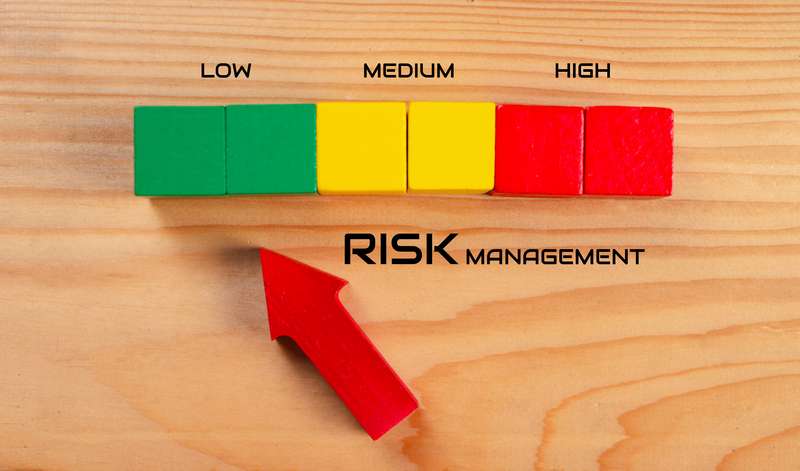
Once a risk is described, you need to assess it. The standard approach uses two dimensions: likelihood and impact. Both are scored on a simple scale, typically 1 to 5, where 1 is very low and 5 is very high.
Multiply the two scores to get an overall risk score. A risk with a likelihood of 4 and an impact of 5 scores 20. A risk with a likelihood of 2 and an impact of 3 scores 6. Higher scores demand faster attention and more robust response plans.
This scoring approach is sometimes called a risk matrix. It gives your team a consistent, objective basis for prioritising which risks to treat first rather than defaulting to whoever shouts loudest.
Fix: If your risk register shows that everything is rated high, the scoring is probably not calibrated correctly. Force your team to distinguish between genuine priorities and background noise. A register where everything is critical helps no one.
A Real Risk Register Example
To make this concrete, here is how a small software business might document a single entry in its risk register.
Risk ID: R-004. Description: Key developers may leave during the final build phase, reducing delivery capacity. Category: Resource. Likelihood: 3. Impact: 4. Risk score: 12. Owner: Head of Engineering. Response: Cross-train a second developer on core modules; begin succession planning conversations. Status: In progress. Review date: Monthly.
That single entry tells you exactly what the risk is, why it matters, who owns it, what is being done about it, and when it will be reviewed. It is actionable rather than descriptive.
How to Keep Your Risk Register Alive?
Creating the register is the easy part. Keeping it useful takes discipline. Risks change as projects evolve, new threats emerge, and mitigations are implemented. A register that is not regularly updated becomes misleading rather than helpful.
Build a review cadence into your project routine. High-scoring risks should be reviewed at least monthly. Lower-priority risks can be checked quarterly. Assign a named owner to the register itself, not just to individual risks, so that someone is responsible for keeping it current.
When a risk is resolved, do not delete it. Mark it as closed and keep it visible. Closed risks are useful reference points during post-project reviews and help new team members understand what was managed and how.
Strategy: Link your risk register directly to your decision-making process. When a project change is proposed, start by asking how it affects existing risks and whether it introduces new ones. A register that feeds into decisions has influence. One that sits in a folder does not.
Final Thoughts
A risk register is only as valuable as the habits built around it. Get the structure right by including risk descriptions, scores, owners, responses, and review dates. Use real examples to anchor abstract risks to specific circumstances. And commit to reviewing it regularly so it reflects where you actually are, not where you were three months ago.
Done well, your risk register becomes one of the most useful tools your team has. It creates shared awareness, drives accountability, and ensures that the risks you have identified are actively managed rather than quietly ignored.
Explore the full Zorgle risk management series for practical guidance on risk identification, risk assessment, and building a risk-aware culture across your organisation.