Making a website with a content management system (CMS) is a great way to create a professional-looking website without needing to know how to code. A CMS enables you to manage your website content without any technical knowledge. With a CMS, you can easily create and update pages, add images and videos, and manage your website’s design.
Understanding content management systems is the first step to making a website with a CMS. A CMS is a software application that allows you to create, edit, and publish content on your website. There are many different CMS options available, each with its own features and benefits. Choosing the right CMS for your website is essential to ensure that your website meets your needs and is easy to use.
Planning your website is an important step in making a website with a CMS. This involves defining your website’s purpose, target audience, and content strategy. Once you have a clear idea of what you want your website to achieve, you can start to create a site map and plan your website’s structure.
By planning your website carefully, you can ensure that your CMS is set up correctly and that your website is easy to navigate and use.
Key Takeaways
- Understanding content management systems is essential to create a website with a CMS.
- Planning your website carefully is important to ensure that your CMS is set up correctly and that your website is easy to use.
- Choosing the right CMS is crucial to ensure that your website meets your needs and is easy to manage.
Understanding Content Management Systems
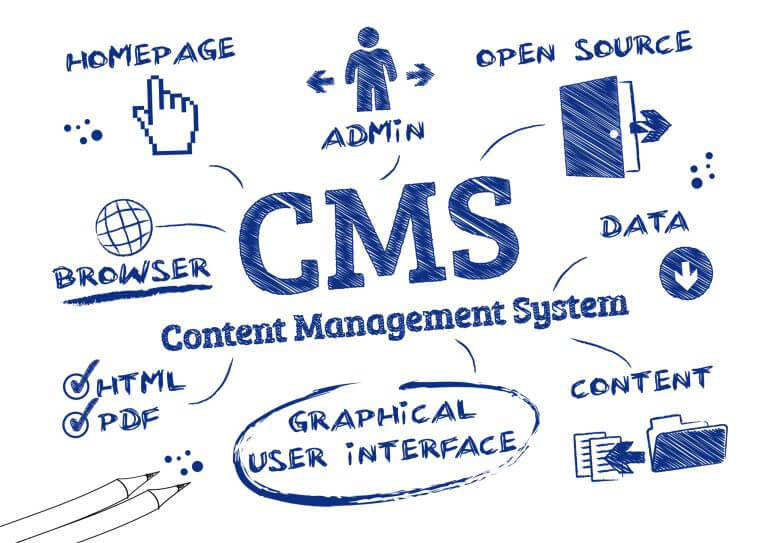
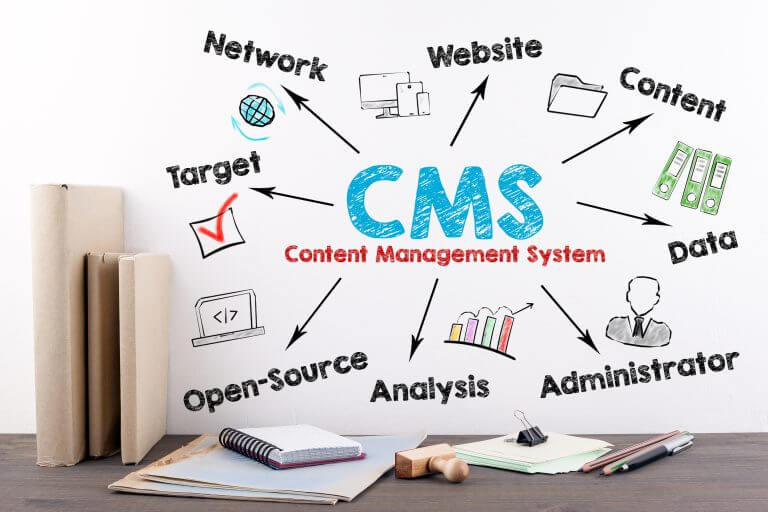
If you’re planning to create a website, you’ll likely come across the term “Content Management System” or CMS. A CMS is a software application that enables you to manage digital content, such as text, images, videos, and audio, without requiring extensive technical knowledge.
What Is a CMS?
A CMS is a platform that allows you to create, edit, and publish digital content on the internet. It provides a user-friendly interface that enables you to manage your website’s content without the need for coding or programming skills. With a CMS, you can create pages, add images, videos, and other media, and publish them to your website with ease.
Popular CMS Platforms
There are several popular CMS platforms available, including WordPress, Drupal, and Joomla. WordPress is the most widely used CMS platform, powering over 40% of all websites on the internet. Drupal and Joomla are also popular choices, with a combined market share of around 6%.
In addition to these open-source CMS platforms, there are also cloud-based CMS platforms, such as Squarespace, Wix, HubSpot CMS, Magento, and Shopify. These platforms offer a range of features and pricing options, making them suitable for businesses of all sizes.
Benefits of Using a CMS
Using a CMS has several benefits, including:
- Ease of Use: With a CMS, you don’t need to have technical knowledge to create and manage your website’s content.
- Customisation: CMS platforms offer a range of templates and plugins that enable you to customise your website’s design and functionality.
- SEO: CMS platforms come with built-in SEO features that enable you to optimise your website for search engines.
- Collaboration: CMS platforms enable multiple users to work on the same website, making it easy to collaborate with others.
- Security: CMS platforms offer built-in security features that help protect your website from hackers and other security threats.
In conclusion, a CMS is an essential tool for anyone looking to create a website without extensive technical knowledge. With a range of open-source and cloud-based options available, there is a CMS platform suitable for businesses of all sizes.
Planning Your Website
When starting a website, it’s essential to have a plan in place. This plan will help guide the development process and ensure that your website meets your goals and the needs of your target audience. Here are some key factors to consider when planning your website:
Defining Your Goals
Before you start building your website, you need to define your goals. What do you want to achieve with your website? Is it to promote your brand, generate leads, or sell products? Once you have a clear understanding of your goals, you can develop a plan to achieve them.
Identifying Your Target Audience
Your website’s target audience is the group of people you want to reach with your content. It’s important to identify your target audience early on in the planning process so you can tailor your content to their needs and interests. Consider factors such as age, gender, location, interests, and profession when defining your target audience.
Considering Design and Functionality
Your website’s design and functionality are crucial to its success. A well-designed website that’s easy to navigate and use will keep your visitors engaged and encourage them to return. Consider the user experience when designing your website and ensure that it’s easy to use and navigate.
When planning your website’s design, consider the types of content you’ll be using. Will you be using text, images, videos, or a combination of all three? Think about how you can use these elements to create a visually appealing and engaging website.
In summary, planning your website is crucial to its success. By defining your goals, identifying your target audience, and considering design and functionality, you can create a website that meets the needs of your visitors and achieves your goals.
Choosing the Right CMS
When it comes to creating a website with a content management system (CMS), choosing the right CMS is crucial. With so many options available, it can be overwhelming to decide which one is best suited for your needs. In this section, we will discuss the factors to consider when choosing a CMS, how to compare CMS features, and how to evaluate support and community.
Factors to Consider
Before choosing a CMS, it is important to consider your specific needs and goals. Here are some factors to consider:
- User-Friendly Interface: A user-friendly interface is important, especially if you don’t have technical knowledge. Look for a CMS that is easy to use and has a clear navigation system.
- Security: Security is crucial for any website. Look for a CMS that offers security features such as regular updates, two-factor authentication, and SSL certificates.
- Performance: A slow website can negatively impact user experience and SEO. Look for a CMS that is optimized for performance.
- SEO: Search engine optimization (SEO) is important for driving traffic to your website. Look for a CMS that offers SEO features such as meta tags, sitemaps, and URL customization.
- Media: If you plan on using a lot of media such as images and videos, look for a CMS that has a media library and supports different file types.
- E-commerce: If you plan on selling products or services on your website, look for a CMS that has e-commerce features such as payment gateways and shopping cart integration.
- Customizability: Look for a CMS that is highly customizable and allows you to add your own code and functionality.
- Industry-Specific: If you work in a specific industry such as healthcare or education, look for a CMS that is tailored to your industry.
Comparing CMS Features
When comparing CMS features, it is important to look at the following:
- Plugins: Plugins are add-ons that extend the functionality of a CMS. Look for a CMS that has a wide range of plugins available.
- Themes and Templates: Themes and templates allow you to change the look and feel of your website. Look for a CMS that has a variety of themes and templates available.
- Headless CMS: A headless CMS separates the content from the presentation layer, allowing you to use different front-end technologies. Look for a CMS that supports headless architecture if you want more flexibility.
- API: An API (application programming interface) allows you to integrate your CMS with other applications. Look for a CMS that has a robust API.
- SSO: Single sign-on (SSO) allows users to log in with one set of credentials across multiple applications. Look for a CMS that supports SSO if you have multiple websites or applications.
- Permissions: Permissions allow you to control who can access and edit your website. Look for a CMS that has granular permission settings.
- Technical Knowledge: Some CMSs require more technical knowledge than others. Look for a CMS that matches your technical skill level.
Evaluating Support and Community
Finally, it is important to evaluate the support and community of a CMS. Look for a CMS that has:
- Active Development: Look for a CMS that is actively developed and has a roadmap for future updates.
- Support Options: Look for a CMS that has multiple support options such as documentation, forums, and email support.
- Community: Look for a CMS that has an active community of users and developers. A strong community can provide support, resources, and plugins.
Setting Up Your CMS
When it comes to making a website with a content management system (CMS), the first step is to set up your CMS. This section will guide you through the installation process, configuring basic settings, and customising your design.
Installation Process
The installation process for most CMS platforms is relatively straightforward. You will need to download the CMS software from the official website and follow the instructions. Some popular CMS platforms include WordPress, Joomla, and Drupal.
During the installation process, you will need to choose a database for your website. Most CMS platforms use MySQL, but you can also use PostgreSQL or SQLite. You will also need to create an admin account, which will give you access to the back-end of your website.
Configuring Basic Settings
Once you have installed your CMS, you will need to configure some basic settings. This includes setting up your website title, description, and URL structure. You can also configure your website’s timezone, language, and date format.
Another important setting to configure is your website’s permalinks. This will determine the structure of your website’s URLs. You can choose from a range of options, including date-based, category-based, and post-based permalinks.
Customising Your Design
Customising your design is an important step in making your website look professional and unique. Most CMS platforms offer a range of themes and templates that you can use to customise your website’s design.
You can also install plugins to add extra functionality to your website. This includes plugins for social media integration, SEO, and e-commerce. Additionally, you can create custom user roles and permissions to control who has access to certain parts of your website.
Finally, you can set up a workflow for your website. This includes setting up a publishing schedule, creating drafts, and assigning tasks to different users. By setting up a workflow, you can ensure that your website runs smoothly and efficiently.
Creating Content and Pages
Once you have set up your content management system (CMS), it’s time to start creating content and pages. In this section, we will cover how to use the editor, manage pages and hierarchy, and integrate media and blogs.
Using the Editor
The editor is where you will create and edit your content. Most CMSs come with a WYSIWYG (What You See Is What You Get) editor that allows you to format your text, add images and videos, and create links. The editor is usually straightforward to use and requires no knowledge of HTML or CSS. However, if you prefer to use HTML, most CMSs allow you to switch to a code view.
When creating content, it’s essential to keep your audience in mind. Write in a tone that is appropriate for your target audience and use language that they will understand. Use headings, bullet points, and numbered lists to break up your text and make it easier to read.
Managing Pages and Hierarchy
In a CMS, pages are the building blocks of your website. You can create pages for your homepage, about us, contact us, and any other pages you need. The hierarchy of your pages is essential, as it determines the structure of your website. Most CMSs allow you to create parent and child pages, which helps you to create a logical structure for your site.
When managing pages, it’s important to keep your navigation in mind. Your navigation should be easy to use and intuitive, allowing your visitors to find what they are looking for quickly. You should also ensure that your pages are SEO-friendly by adding meta titles and descriptions.
Integrating Media and Blogs
Integrating media and blogs into your website can help to make it more engaging and informative. Most CMSs allow you to add images, videos, and audio files to your pages. You can also create a blog section on your site, where you can publish blog posts on a regular basis.
When adding media to your site, it’s important to ensure that it is optimized for the web. This means compressing images and videos to reduce their file size, which will help your site to load faster. When creating blog posts, make sure that they are well-written and informative. Use headings, bullet points, and images to break up your text and make it easier to read.
In conclusion, creating content and pages is an essential part of building a website with a CMS. By using the editor, managing pages and hierarchy, and integrating media and blogs, you can create a site that is engaging, informative, and easy to use.
Extending Functionality
When building a website with a content management system (CMS), it’s important to ensure that it has the necessary functionality to meet your needs. Fortunately, most CMS platforms offer a variety of plugins and extensions that can be used to extend the functionality of your website.
Using Plugins and Extensions
Plugins and extensions are add-ons that can be installed on your CMS to add new features and functionality. These can include everything from social media integrations to advanced SEO tools. When selecting plugins and extensions, it’s important to choose ones that are well-supported and regularly updated to ensure compatibility with your CMS.
Adding Ecommerce Capabilities
If you plan to sell products or services through your website, you’ll need to add ecommerce capabilities to your CMS. This can be done through plugins or extensions that provide features such as shopping carts, payment gateways, and inventory management. It’s important to choose an ecommerce solution that is secure, easy to use, and integrates seamlessly with your CMS.
Integrating with Other Platforms
Your website is likely just one part of your overall online presence. To ensure a cohesive experience for your users, it’s important to integrate your website with other platforms such as social media, marketing automation tools, and customer relationship management (CRM) systems. This can be done through APIs and plugins that allow for seamless data transfer between platforms.
By extending the functionality of your CMS, you can create a website that meets your specific needs and provides a great user experience. Whether you need ecommerce capabilities, social media integrations, or advanced SEO tools, there are plugins and extensions available to help you achieve your goals.
Optimising and Marketing Your Website
When it comes to building a website with a content management system, it’s not just about creating a visually appealing design or adding engaging content. You also need to optimize and market your website to attract and retain visitors. Here are some tips on how to optimize and market your website effectively.
SEO Best Practices
Search engine optimization (SEO) is crucial for ensuring your website ranks high in search engine results pages (SERPs). To improve your SEO, you need to focus on several key factors, including:
- Keyword research: Identify the most relevant and valuable keywords for your target audience and incorporate them into your website’s content and metadata.
- On-page optimization: Optimize your website’s structure, content, and metadata to make it easier for search engines to crawl and index your site.
- Off-page optimization: Build high-quality backlinks to your website from other reputable sites in your industry.
- Mobile optimization: Ensure your website is mobile-friendly, as more and more people are using mobile devices to browse the web.
Content Marketing Strategies
Content marketing is a powerful way to attract and retain visitors to your website. To create an effective content marketing strategy, you need to:
- Identify your target audience: Understand who your target audience is and what they’re looking for.
- Develop a content plan: Create a content plan that aligns with your business goals and meets the needs of your target audience.
- Create high-quality content: Produce high-quality content that’s informative, engaging, and shareable.
- Promote your content: Share your content on social media, email marketing campaigns, and other channels to reach a wider audience.
Improving Conversion Rates
Conversion rate optimization (CRO) is the process of improving the percentage of visitors to your website who take a desired action, such as making a purchase or filling out a contact form. To improve your website’s conversion rates, you need to:
- Analyze user behavior: Use tools like Google Analytics to track user behavior on your website and identify areas for improvement.
- Optimize your website’s design: Make sure your website’s design is user-friendly, easy to navigate, and visually appealing.
- Use clear calls-to-action: Use clear and compelling calls-to-action to encourage visitors to take the desired action.
- Test and iterate: Continuously test and iterate your website’s design and content to improve its performance.
By following these tips, you can optimize and market your website effectively, attract more visitors, and convert them into loyal customers.
Maintaining and Updating Your Website
As a website owner, it is important to regularly maintain and update your website to ensure it remains secure, functional, and up-to-date. Here are some regular maintenance tasks to keep your website running smoothly:
Regular Maintenance Tasks
- Check for broken links: Regularly check your website for broken links and fix them promptly to ensure a good user experience.
- Update content: Keep your website content fresh and up-to-date to attract and retain visitors.
- Optimize images: Optimize images on your website to ensure fast loading times and improve user experience.
- Test forms: Regularly test all forms on your website to ensure they are working correctly.
- Check website speed: Monitor your website’s loading speed and take steps to improve it if necessary.
Security Updates
Keeping your website secure is crucial for protecting your data and your visitors’ information. Here are some security updates to keep in mind:
- Install updates: Regularly update your website’s content management system, themes, and plugins to ensure they are up-to-date and secure.
- Use strong passwords: Use strong passwords for all logins and avoid using the same password across multiple accounts.
- Install security plugins: Install security plugins to protect your website from malware and other security threats.
Website Improvements
To keep your website up-to-date and relevant, consider making improvements to its design and functionality. Here are some website improvements to consider:
- Add new features: Add new features to your website to improve user experience and functionality.
- Improve navigation: Make it easy for visitors to find what they are looking for by improving website navigation.
- Optimize for mobile: Optimize your website for mobile devices to ensure it is accessible to all users.
In conclusion, maintaining and updating your website is crucial for ensuring its security, functionality, and relevance. By following these regular maintenance tasks, security updates, and website improvements, you can keep your website running smoothly and attract more visitors.
Analysing Website Performance
Once your website with a content management system (CMS) is live, it’s important to track its performance to ensure it’s meeting your goals. Analysing website performance can help you identify areas for improvement and make data-driven decisions to optimise your website.
Tracking User Behaviour
One of the most important aspects of website performance analysis is tracking user behaviour. This includes monitoring how users interact with your website, what pages they visit, how long they stay on each page, and where they come from. This information can be used to improve your website’s user experience and increase engagement.
To track user behaviour, you can use tools like Google Analytics, which provides detailed insights into your website’s traffic and user behaviour. By setting up conversion goals, you can also track how many users are taking specific actions on your website, such as filling out a contact form or making a purchase.
Measuring Engagement
Measuring engagement is another important aspect of website performance analysis. Engagement refers to how users interact with your website and how invested they are in your content. This can include metrics like time on page, bounce rate, and social shares.
To measure engagement, you can use tools like heat maps, which show you where users are clicking and scrolling on your website. You can also use A/B testing to compare different versions of your website and see which one performs better.
Tools for Analytics
There are many tools available for website performance analysis, ranging from basic tracking tools like Google Analytics to more advanced tools like heat maps and A/B testing software. Some popular tools for website analytics include:
- Google Analytics: A free tool that provides detailed insights into your website’s traffic and user behaviour.
- Hotjar: A tool that provides heat maps, user recordings, and other insights into user behaviour on your website.
- Optimizely: A tool that allows you to create and test different versions of your website to see which one performs better.
By using these tools and tracking key metrics like user behaviour and engagement, you can gain valuable insights into your website’s performance and make data-driven decisions to improve it.
Scaling Your Website
When you create a website with a content management system (CMS), you have the ability to easily add, update, and manage your website’s content. However, as your website grows and attracts more traffic, you will need to consider how to scale your website to handle the increased traffic. In this section, we will discuss some strategies for scaling your website.
Handling Increased Traffic
As your website begins to attract more visitors, you may notice that your website’s performance begins to slow down. This can be due to a variety of factors, including increased server load, larger file sizes, and more complex code. To handle increased traffic, you may need to upgrade your hosting plan or consider using a content delivery network (CDN) to distribute your website’s content across multiple servers.
Upgrading Your CMS Platform
As your website grows, you may also need to upgrade your CMS platform to handle the increased traffic and content. This can involve upgrading to a more powerful server, or migrating to a more robust CMS platform that can handle larger volumes of content and traffic. When considering an upgrade, be sure to research your options and choose a platform that is scalable and suitable for your website’s needs.
Expanding to New Markets
If you are running a global website or serving larger organizations or ecommerce stores, you may need to consider expanding your website to new markets. This can involve adding new language options, localizing your content, and optimizing your website for different search engines and social media platforms. To successfully expand to new markets, you will need to conduct thorough research and understand the cultural nuances and preferences of your target audience.
In conclusion, scaling your website is an important consideration as your website grows and attracts more traffic. By following these strategies, you can ensure that your website remains fast, reliable, and scalable, and can effectively serve your audience no matter where they are located.
Frequently Asked Questions
What are some notable examples of content management systems used today?
There are many content management systems (CMS) available today, each with its own set of features and benefits. Some of the most popular CMSs used today include WordPress, Drupal, Joomla, and Magento. These CMSs are open-source, which means that they are free to use and can be customized to suit your specific needs.
Can I develop my own content management system, and what are the basic requirements?
Yes, you can develop your own content management system, but it requires a lot of time and effort. You will need to have a good understanding of programming languages such as PHP, Python, or Ruby, as well as database management systems like MySQL or PostgreSQL. You will also need to have a clear understanding of your website’s requirements and how you want your CMS to function.
What are the steps involved in creating a CMS-based website using HTML?
To create a CMS-based website using HTML, you will need to follow these basic steps:
- Choose a CMS that suits your needs.
- Install the CMS on your web server.
- Configure the CMS according to your requirements.
- Create HTML templates for your website.
- Integrate your HTML templates with the CMS.
- Add content to your website using the CMS.
How can one build a content management system using JavaScript?
Building a content management system using JavaScript requires a good understanding of JavaScript programming, as well as other web technologies like HTML and CSS. You will also need to have a clear understanding of your website’s requirements and how you want your CMS to function. There are several JavaScript-based CMSs available today, including KeystoneJS, Ghost, and Strapi.
What are the advantages of using a content management system for website creation?
Using a content management system has several advantages, including:
- Easy content management: CMSs allow you to easily create, edit, and publish content on your website without requiring any technical knowledge.
- Customization: CMSs can be customized to suit your specific needs, allowing you to create a website that is unique and tailored to your business.
- SEO-friendly: CMSs are designed to be search engine friendly, which can help improve your website’s visibility in search results.
- Scalability: CMSs can handle large amounts of content, making them ideal for websites that need to scale up over time.
How does a content management system function within the context of web design?
A content management system functions as the backend of a website, allowing you to manage the content on your website without having to deal with the technical details of web design. CMSs provide an interface for creating and managing content, which is then displayed on the frontend of your website. This allows you to focus on creating high-quality content for your website, while the CMS takes care of the technical details of web design.