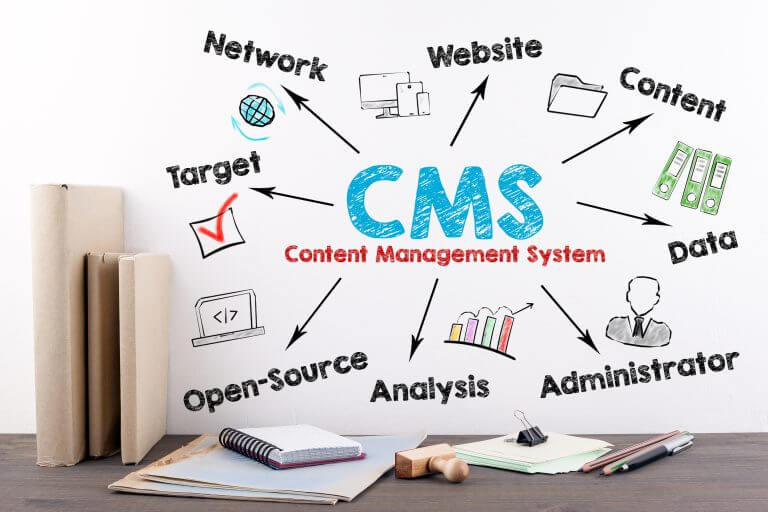
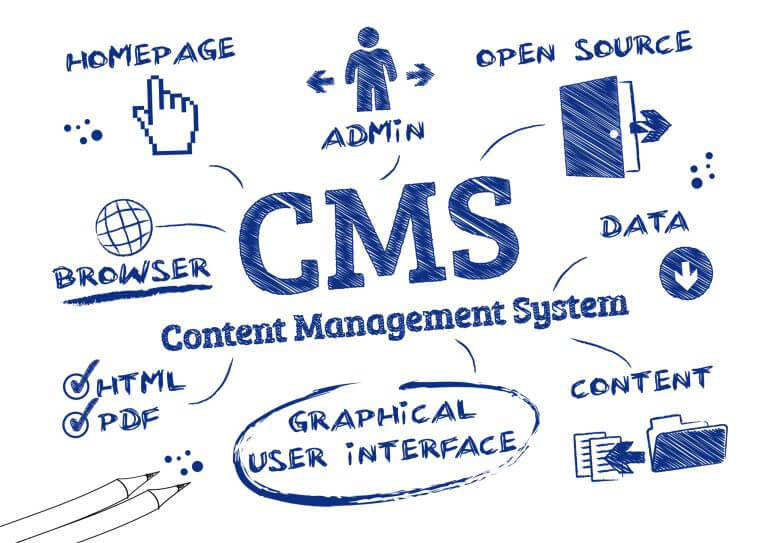
If you’re starting a website, you’ll need a content management system (CMS) to help you manage your digital content. A CMS is a software application that allows you to create, edit, and publish content on the web without requiring technical expertise.
It’s an essential tool for anyone who wants to manage a website, from small businesses to large corporations.
Understanding CMS is important if you want to make the most of your website. A CMS allows you to manage your content with ease, making it simple to create and publish blog posts, landing pages, and other types of content.
It also allows you to manage your website’s design, user accounts, and other features. With a CMS, you can create a website that is easy to use, visually appealing, and optimized for search engines.
Key Takeaways
- A content management system is an essential tool for managing a website, allowing you to create, edit, and publish content without technical expertise.
- With a CMS, you can manage your website’s design, user accounts, and other features.
- Understanding CMS is important if you want to make the most of your website, allowing you to create a website that is easy to use, visually appealing, and optimized for search engines.
Understanding CMS
A Content Management System (CMS) is a software application that enables you to create, manage, and publish digital content, such as web pages, without requiring specialised technical skills. In this section, we’ll explore the core functions of CMS, how it differs from traditional websites, and how it can benefit your website.
Defining a CMS
A CMS is a platform that allows you to create, manage, and publish digital content in a user-friendly interface. It provides a simple, intuitive way to create and manage website content without requiring knowledge of HTML or other web programming languages.
Core Functions of CMS
The core functions of a CMS include content creation, content management, and content publishing. With a CMS, you can create digital content, such as web pages, blog posts, and images, and manage them in a centralised location. You can also publish your content to your website with just a few clicks.
A CMS also provides other features, such as user management, search engine optimisation (SEO), and analytics. User management allows you to create and manage user accounts, while SEO helps you optimise your content for search engines. Analytics provides insights into your website’s performance, such as page views, bounce rates, and user behaviour.
CMS vs Traditional Websites
A traditional website is created using HTML and other web programming languages. It requires specialised technical skills to create and manage content. In contrast, a CMS provides a user-friendly interface that allows you to create and manage content without requiring technical knowledge.
With a traditional website, you need to manually update each page whenever you want to make changes. With a CMS, you can make changes to your content in one central location and publish them across your entire website. This saves time and ensures consistency across your website.
In summary, a CMS is a powerful tool that allows you to create, manage, and publish digital content with ease. It provides a user-friendly interface, core functions such as content creation, management, and publishing, and other features such as user management, SEO, and analytics. Compared to traditional websites, a CMS saves time and ensures consistency across your website.
Popular CMS Platforms
When it comes to content management systems (CMS), there are several popular platforms to choose from. Each one has its own unique features and benefits, and the choice ultimately depends on your specific needs and preferences.
WordPress
WordPress is by far the most popular CMS platform, powering over 40% of all websites on the internet. It is known for its user-friendly interface, extensive plugin library, and flexibility. Whether you’re creating a blog, an e-commerce site, or a portfolio, WordPress has a solution for you.
Joomla
Joomla is another popular CMS platform, known for its robustness and flexibility. It is a great choice for larger websites with complex content structures, as it offers a wide range of customisation options. Joomla is also known for its strong community support and extensive documentation.
Drupal
Drupal is a powerful CMS platform that is ideal for large, complex websites with high traffic volumes. It is known for its scalability and security, making it a popular choice for government and enterprise sites. Drupal also offers a wide range of modules and themes for customisation.
Wix
Wix is a popular website builder that offers a user-friendly interface and drag-and-drop functionality. It is a great choice for beginners or those who want to create a simple website quickly. Wix also offers a range of templates and customisation options.
Squarespace
Squarespace is another website builder that offers a range of templates and customisation options. It is known for its sleek and modern designs, making it a popular choice for creative professionals. Squarespace also offers e-commerce functionality and strong SEO features.
Magento
Magento is a powerful e-commerce CMS platform that is ideal for online stores with high traffic volumes. It is known for its scalability and flexibility, making it a popular choice for large retailers. Magento also offers a range of modules and extensions for customisation.
In summary, there are several popular CMS platforms to choose from, each with its own unique features and benefits. Whether you’re creating a simple website or a complex e-commerce store, there is a CMS platform that is right for you.
Key Components of CMS
A Content Management System (CMS) is a software application that enables you to create, manage, and publish digital content, typically on the web. It is made up of three main components: Content Management Application (CMA), Content Delivery Application (CDA), and Storage and Repositories.
Content Management Application (CMA)
The CMA is the front-end user interface that enables you to create and manage digital content. It provides a range of tools that allow you to add, edit, and publish content, as well as manage workflows, user permissions, and other administrative tasks. The CMA typically includes a WYSIWYG (What You See Is What You Get) editor, which enables you to create and edit content without needing to know HTML or other coding languages.
Content Delivery Application (CDA)
The CDA is the back-end component that delivers the content to the end-users. It retrieves the content from the storage and repositories, formats it, and delivers it to the user’s device or browser. The CDA also manages the caching and delivery of content to ensure that it is delivered quickly and efficiently to the user.
Storage and Repositories
The storage and repositories component of a CMS is where all the digital content is stored. This includes everything from text, images, and videos to audio files, PDFs, and other documents. The storage and repositories component provides a central location for all the content, making it easy to manage, organize, and retrieve. It also ensures that the content is stored securely and backed up regularly.
In summary, a CMS consists of three main components: the Content Management Application (CMA), the Content Delivery Application (CDA), and Storage and Repositories. The CMA provides the front-end user interface for creating and managing content, while the CDA delivers the content to the end-users. The storage and repositories component provides a central location for storing and organizing all the digital content.
Content Management Features
Content management systems (CMS) offer a range of features to help you create, manage, edit, and publish content on your website. These features can vary depending on the CMS you choose, but most systems offer similar tools to help you manage your content.
User Interface and Ease of Use
One of the most important features of a CMS is its user interface (UI). A good UI should be intuitive and easy to use, allowing you to quickly navigate through the system and find the tools you need. Most CMSs offer a graphical user interface (GUI) that lets you modify your content without needing to know any coding.
Editing and Publishing Tools
CMSs offer a variety of tools to help you edit and publish your content. These tools can include a WYSIWYG (what you see is what you get) editor, which allows you to format your content using a visual editor similar to a word processor. You can also use publishing tools to schedule content to be published at a specific time or to automatically publish content when it is ready.
User Permissions and Workflow
CMSs offer tools to help you manage user permissions and workflow. You can assign different user roles, such as editors or contributors, and set permissions for each role. Workflow management tools allow you to create a process for content creation and approval, ensuring that content is reviewed and approved before it is published.
Templates and Customisation
Most CMSs offer templates that allow you to quickly create a website without needing to design it from scratch. These templates are often customizable, allowing you to modify the design to fit your needs. Some CMSs also offer customizable templates, which allow you to create your own templates from scratch.
Search and Retrieval Functions
CMSs offer search and retrieval functions to help you find and manage your content. These tools allow you to search your content by keyword, tag, or category, making it easy to find the content you need. You can also use indexing tools to improve the searchability of your content, making it easier for your users to find what they are looking for.
In summary, a CMS offers a range of features to help you manage your content. These features include a user-friendly interface, editing and publishing tools, user permissions and workflow management, customizable templates, and search and retrieval functions. By using these features, you can create a website that is easy to manage and navigate, and that provides your users with the content they need.
Technical Aspects of CMS
When it comes to technical aspects, a content management system (CMS) is a complex software application that requires a certain level of technical knowledge to manage. This section will cover some of the technical aspects of CMS that you should be aware of.
Infrastructure and Hosting
The infrastructure and hosting of a CMS are critical components that can affect the performance and reliability of your website. A good CMS should be able to run on a variety of servers and hosting providers, and it should be flexible enough to adapt to changes in your hosting environment.
Security Measures
Security is a critical concern for any website, and CMSs are no exception. A good CMS should include a range of security measures to protect your site from attacks, including:
- User authentication and access control
- Encryption of sensitive data
- Regular security updates and patches
- Protection against common web vulnerabilities, such as SQL injection and cross-site scripting (XSS)
Code and Development
The code and development of a CMS are important factors to consider when evaluating different options. A good CMS should be built on a solid foundation of well-structured, maintainable code that is easy to modify and extend. It should also be developed using modern web technologies, such as CSS, JavaScript, and Perl.
When evaluating a CMS, it’s important to consider the developer community behind it. A strong community of developers can help ensure that the CMS stays up to date with the latest web technologies and security trends.
Overall, the technical aspects of CMS are critical to the success of your website. By choosing a CMS with a strong infrastructure, robust security measures, and well-structured code, you can ensure that your website is reliable, secure, and easy to manage.
Advanced CMS Features
Content management systems (CMS) offer a wide range of features that help you manage your website content efficiently. Advanced CMS features can help you improve your online presence, boost your search engine optimization (SEO), and create a better user experience for your visitors. Here are some of the advanced features you can expect from a modern CMS:
SEO and Online Presence
A good CMS should have built-in SEO tools that help you optimize your website for search engines. This includes features such as meta tags, sitemaps, and URL management. With these tools, you can ensure that your website is easily discoverable by search engines and that your content is presented in a way that is both informative and engaging.
Digital Asset Management
Digital asset management is another important feature of an advanced CMS. This feature allows you to manage all your digital assets, such as images, videos, and documents, in one central location. With digital asset management, you can easily organize and categorize your assets, making it easier to find and use them when you need them.
Multimedia and Content Formatting
An advanced CMS should also offer multimedia and content formatting features that allow you to create engaging and visually appealing content. This includes features such as video embedding, image galleries, and custom formatting options. With these tools, you can create content that is both informative and visually appealing, helping to keep your visitors engaged and interested.
Mobile and Cloud Solutions
Finally, an advanced CMS should offer mobile and cloud-based solutions that allow you to manage your website from anywhere, at any time. This includes features such as mobile-responsive design, cloud-based storage, and remote access. With these tools, you can ensure that your website is always up-to-date and accessible, no matter where you are.
In conclusion, an advanced CMS offers a wide range of features that can help you manage your website content more efficiently. Whether you need to improve your SEO, manage your digital assets, or create engaging multimedia content, an advanced CMS can help you achieve your goals.
CMS in Different Contexts
When it comes to content management systems (CMS), they can be used in a variety of contexts, each with its own unique requirements. In this section, we’ll explore some of the most common contexts for CMS usage, including Enterprise Content Management (ECM), Web Content Management (WCM), and Headless CMS and API-Driven Content.
Enterprise Content Management (ECM)
Enterprise Content Management (ECM) is a comprehensive approach to managing an organisation’s information. It involves the use of a range of technologies and strategies to capture, manage, store, preserve, and deliver content and documents related to organisational processes. ECM is typically used by large organisations that have complex information management needs.
ECM solutions are designed to help organisations manage their digital assets, automate workflows, and improve collaboration. Some of the key features of ECM systems include document management, records management, web content management, and digital asset management.
Web Content Management (WCM)
Web Content Management (WCM) is a specific type of CMS that is designed to help organisations manage their digital experiences. WCM systems are used to create, manage, and deliver digital content for websites, mobile apps, and other digital channels.
WCM systems typically include features such as content creation and editing tools, publishing workflows, and web analytics. They are used by organisations of all sizes to manage their online presence and engage with their audiences.
Headless CMS and API-Driven Content
Headless CMS is a relatively new concept in the world of content management. Unlike traditional CMS systems, headless CMS separates the content creation and management process from the presentation layer. This means that content can be created and managed independently of the channels it will be delivered on.
Headless CMS systems typically use APIs to deliver content to websites, mobile apps, and other digital channels. This approach allows organisations to create and manage content once and deliver it to multiple channels, reducing the need for duplicate content creation and management.
API-driven content is becoming increasingly popular as organisations look for ways to deliver personalised and engaging digital experiences to their audiences. By using APIs to deliver content, organisations can create a seamless experience across multiple channels, improving engagement and driving conversions.
In conclusion, CMS systems can be used in a variety of contexts, each with its own unique requirements. Whether you’re looking to manage your organisation’s information, create engaging digital experiences, or deliver content across multiple channels, there is a CMS solution out there to meet your needs.
Customisation and Extensions
When it comes to content management systems (CMS), customisation and extensions are two of the most important factors that make them flexible and adaptable to your needs.
Plugins and Modules
One of the main ways to customise a CMS is through the use of plugins or modules. These are pre-built pieces of software that can be added to your CMS to add new functionality or customise existing features. For example, if you need to add a contact form to your website, you can install a plugin that provides this functionality. There are many free and paid plugins available for most CMS platforms, and they can save you a lot of time and effort when it comes to customising your website.
API Integration and Scalability
Another way to customise your CMS is through API integration. Most CMS platforms offer APIs that allow you to connect your website to other services and applications. This can be useful if you need to integrate your website with a third-party service, such as a payment gateway or a social media platform. APIs also make it easier to scale your website as your business grows, as you can add new functionality without having to rebuild your entire website.
In addition to customisation, extensions can also improve the performance of your CMS. For example, if your website receives a lot of traffic, you may need to use a content delivery network (CDN) to distribute your content to users around the world. Many CMS platforms offer CDN integration, which can help to reduce the load on your servers and improve the speed of your website.
Overall, customisation and extensions are essential components of a modern CMS. By choosing a platform that offers a wide range of plugins, modules, and APIs, you can create a flexible and scalable website that meets your specific business needs.
Managing Website Content
Managing website content can be a daunting task, especially when you are dealing with a large volume of content. A content management system (CMS) is a software tool that can help you manage website content efficiently. A CMS can help you publish, edit, and deliver content to your audience with ease. In this section, we will discuss the benefits of using a CMS to manage website content.
Content Lifecycle and Revision Control
A CMS can help you manage the entire content lifecycle, from creation to archiving. You can use a CMS to create, edit, and publish content, as well as to manage revisions. With revision control, you can keep track of changes made to your content, and revert to previous versions if necessary. This feature is essential when you have multiple users working on the same content, as it helps to ensure that everyone is working on the latest version.
Collaboration and Multi-User Environments
A CMS can also help you manage collaboration in a multi-user environment. With a CMS, you can assign roles and permissions to users, so that each user can only access the content they are authorized to edit. This feature is useful when you have multiple users working on the same content, as it helps to prevent conflicts and ensure that everyone is working on the same page.
In conclusion, a CMS can help you manage website content efficiently, from creation to delivery. With a CMS, you can manage the entire content lifecycle, from creation to archiving, and ensure that everyone is working on the latest version of the content. Additionally, a CMS can help you manage collaboration in a multi-user environment, by assigning roles and permissions to users.
CMS User Experience
When it comes to content management systems (CMS), user experience is a key factor that can make or break the success of a website. A user-friendly CMS can help you manage your website content efficiently while providing a seamless experience to your visitors. In this section, we’ll discuss the importance of user experience in CMS and how it can impact your website’s performance.
Personalisation and User Engagement
One of the key benefits of a CMS with a good user experience is the ability to personalise content and engage visitors. With a CMS that offers personalisation features, you can tailor your content to specific user groups, making it more relevant and engaging. Personalisation can also help you build stronger relationships with your audience by providing them with a more personalised experience.
Performance and Load Times
Efficiency and automation are also important factors when it comes to CMS user experience. A CMS that is efficient and automated can help you manage your content more easily and quickly. This can save you time and effort, allowing you to focus on other aspects of your website.
In addition, load times are critical for user experience. A CMS that is slow to load can frustrate visitors and cause them to leave your site. It’s important to choose a CMS that is optimised for performance and load times to ensure a fast and seamless user experience.
To sum up, a user-friendly CMS with personalisation and engagement features, efficient automation, and optimised performance and load times can provide an excellent user experience for your visitors. By choosing the right CMS, you can ensure that your website is consistent, easy to use, and engaging for your audience.
Evaluating CMS Solutions
When it comes to choosing a CMS solution for your business, there are a number of factors to consider. Here are two important aspects to evaluate CMS solutions:
Assessing CMS for Business Needs
Before choosing a CMS solution, it’s important to assess your business needs. Consider factors such as the size of your business, the complexity of your website, and the number of users who will need access to the CMS. You should also consider the types of content you will be managing, such as text, images, and videos.
One of the benefits of a CMS is that it can help streamline your business processes. Look for a CMS that offers features such as workflow management and collaboration tools to help improve productivity. Additionally, if you require enterprise content management or document management features, make sure the CMS you choose can handle these tasks.
Costs and Investment
Another important factor to consider when evaluating CMS solutions is the cost. Some CMS solutions are free and open-source, while others require an investment. Consider the total cost of ownership, including licensing fees, hosting costs, and any additional development costs.
It’s also important to consider the long-term investment potential of a CMS solution. Look for a CMS that offers analytics and reporting tools to help you track the success of your website. This can help you make data-driven decisions about future investments in your website.
In conclusion, when evaluating CMS solutions, consider your business needs, costs, and long-term investment potential. Look for a CMS that offers the features and functionality you require to help streamline your business processes and improve productivity.
Frequently Asked Questions
What are the primary functions of a content management system?
A content management system (CMS) is a software application that enables users to create, manage, and publish digital content. The primary functions of a CMS include content creation, content storage, content management, and content publishing. CMSs are designed to simplify the process of managing digital content and make it easier for non-technical users to create and publish content.
Could you provide some examples of popular content management systems?
Some popular content management systems include WordPress, Drupal, Joomla, Magento, and Shopify. WordPress is the most widely used CMS, powering over 40% of all websites on the internet. Drupal and Joomla are also popular open-source CMSs that offer a range of features and customisation options. Magento is a CMS designed specifically for e-commerce websites, while Shopify is a hosted e-commerce platform that includes a CMS.
How do content management systems differ from one another?
Content management systems differ from one another in terms of features, ease of use, customisation options, and pricing. Some CMSs are designed for specific use cases, such as e-commerce or blogging, while others are more general-purpose. Some CMSs are open-source and free to use, while others are proprietary and require a license fee. The choice of CMS will depend on your specific needs and budget.
What are the essential components of a content management system?
The essential components of a content management system include a content creation tool, a content storage system, a content management tool, and a content publishing tool. The content creation tool allows users to create and edit digital content, while the content storage system provides a centralised repository for storing digital assets. The content management tool enables users to manage and organise digital content, while the content publishing tool allows users to publish content to a website or other digital platform.
In what ways is a content management system utilised within marketing?
A content management system is a valuable tool for marketers, as it allows them to create, manage, and publish digital content across multiple channels. CMSs can be used to create and publish blog posts, social media content, email newsletters, and other types of marketing content. CMSs also offer features such as analytics and SEO optimisation, which can help marketers to measure the effectiveness of their campaigns and improve their search engine rankings.
What features should one look for when selecting a content management system?
When selecting a content management system, it is important to consider factors such as ease of use, customisation options, scalability, security, and support. Look for a CMS that offers a user-friendly interface, flexible customisation options, and the ability to scale as your business grows. Security is also a key consideration, so look for a CMS that includes features such as user authentication and access control. Finally, make sure that the CMS vendor offers reliable support and maintenance services to ensure that your website remains up-to-date and secure.