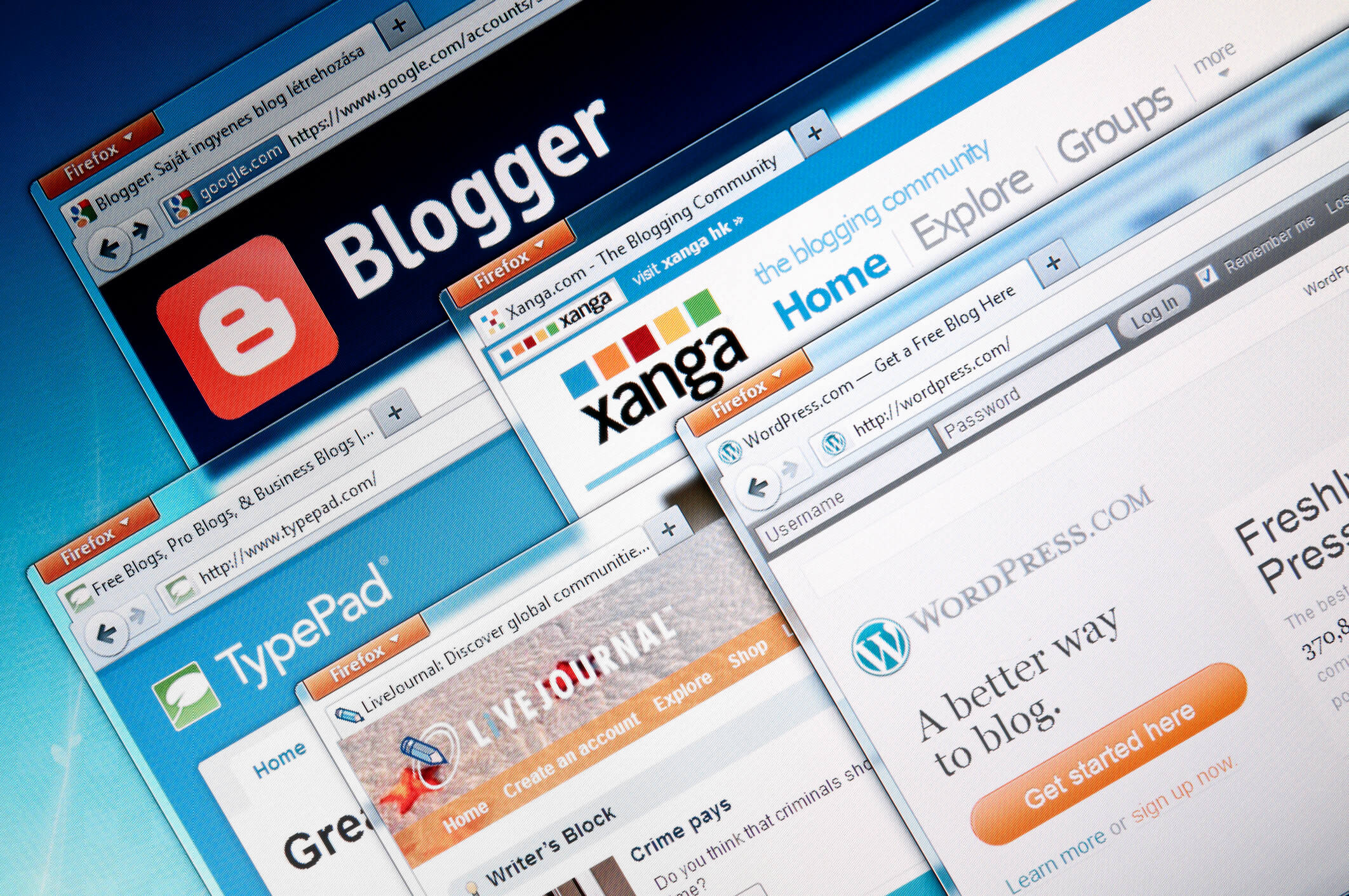
Choosing the best platform for blogging depends on what you need most: ease of use, customisation, or full control. WordPress.org is often the best choice for bloggers who want flexibility, control over their site, and strong SEO options. If you want something simpler, platforms like Wix or Blogger might suit you better.
Your choice should reflect your goals, whether that is starting quickly, building a community, or making money from your blog. Different platforms offer varying features for design, hosting, and support, so it’s important to pick one that fits your skills and plans. Understanding these differences will help you make a smart decision for your blog’s success.
Key Takeaways
- The right blogging platform depends on your priorities and skills.
- Flexibility and control often mean choosing self-hosted options.
- Simpler platforms can help you start quickly but may limit growth.
Understanding Blogging Platforms
When choosing a blogging platform, several factors influence how easy and effective your blog will be. You need to know what a blogging platform is, the main types available, and the key features to look for that suit your needs.
What Is a Blogging Platform?
A blogging platform is the software or service you use to create, manage, and publish your blog content. It acts like a content management system (CMS), letting you organise posts, images, and other media.
Platforms vary in complexity. Some are simple and free to use, aimed at beginners. Others offer more control but need technical skills to manage. You should consider whether you want a platform that hosts your blog for you, or one you install on your own server, giving you full control.
Different Types of Blogging Platforms
There are two main types of blogging platforms: hosted and self-hosted.
Hosted platforms, like Blogger or WordPress.com, provide free blogging platforms where hosting, security, and updates are handled for you. They’re easier to start but may limit customisation.
Self-hosted platforms, such as WordPress.org, require you to arrange your own hosting and manage technical aspects. This option gives you more control and flexibility but demands more effort and sometimes cost.
Other platforms focus on specific styles of blogging. For example, community blogging platforms can foster engagement within a group, while developer-focused platforms may have tools for sharing code and technical writing Understanding blogspace.
Key Features to Consider
When picking a blogging platform, focus on these features:
- Ease of Use: How simple is it to set up and publish content?
- Customisation: Does it allow you to change themes, layouts, and add plugins?
- Cost: Are you looking for a free blogging platform, or are you willing to pay for extra features?
- Support and Community: Check if there is help available, like forums or customer service.
- SEO Tools: These help your blog get found by search engines.
- Content Management: A good CMS lets you organise posts, pages, and media without hassle.
Understanding these features helps you choose a platform that matches your goals and skills, whether you want a simple start or a powerful blogging tool Blogging practices: An analytical framework.
Popular Blogging Platforms Compared
Choosing the right blogging platform depends on how much control you want, your tech skills, and whether you prefer simple or advanced tools. Some platforms are easy to start but limited, while others offer more features but require more work.
WordPress.org vs WordPress.com
WordPress.org is an open-source software, meaning you host the blog yourself. This gives you full control over design, features, and monetisation. You can use any theme or plugin you want. However, you need to pay for web hosting and manage security and updates yourself. This option suits you if you want a professional blog with flexibility.
WordPress.com, on the other hand, offers hosting and maintenance for you. It has free and paid plans, but limits customisation unless you pay more. It is easier to set up and use, but less flexible than WordPress.org. If you want a simple blog without technical hassles, this might work well.
| Feature | WordPress.org | WordPress.com |
|---|---|---|
| Hosting | You manage | Hosting included |
| Custom themes/plugins | Allowed | Limited to paid plans |
| Cost | Hosting fees apply | Free with paid upgrades |
| Control | Full | Basic to moderate |
Medium
Medium focuses on writing and community rather than design. You don’t worry about hosting, security, or design since it’s all handled for you. It has a clean, simple interface for writing and sharing stories.
You can join Medium’s Partner Program to earn money from your articles. However, you can’t customise your blog’s look or add extra features. If you want to write without technical distractions and grow an audience quickly, Medium is a good choice.
Blogger (Blogspot)
Blogger, also called Blogspot, is a free platform owned by Google. It is very simple to use and integrates well with other Google services. You don’t need to pay for hosting or worry about maintenance.
However, Blogger has fewer design options and features than WordPress or Medium. It’s a good start if you want a basic blog and don’t need advanced customisation. Keep in mind that Google can change or close the service anytime, so it’s less flexible for long-term plans.
Ease of Use for Beginners
When choosing a blogging platform, you need an option that makes it simple to start your blog and doesn’t overwhelm you with technical tasks. The key factors include how easy the interface is to navigate, how quickly you can set up your blog, and how steep the learning curve is when you first begin.
User-Friendly Interfaces
A user-friendly interface lets you focus on writing rather than struggling with complicated tools. Look for platforms with clear menus, drag-and-drop features, and easy access to customisation options.
Platforms like WordPress.com and Wix offer a clean dashboard where you can create and edit posts without needing coding skills. You can often change your blog’s appearance with a few clicks using templates made for beginners.
Keeping everything simple and intuitive means you won’t waste time figuring out how to publish a post or add images. This ease helps you stay motivated and consistent with your blogging.
Easy Setup and Onboarding
Starting a blog should be quick and straightforward. Many platforms guide you through setup steps like choosing a domain name, selecting a theme, and connecting social sharing options.
Services aimed at beginners usually have setup wizards or step-by-step tutorials. For example, Blogger and Medium require minimal setup—sometimes only needing you to sign in with an existing Google or social media account.
The simpler the setup, the sooner you can begin creating content. Look for platforms that also offer built-in help or community support to assist you if you get stuck early on.
Learning Curve for New Bloggers
Every platform has a learning curve, but some are gentler than others. A steep learning curve can discourage you from continuing.
You want a platform with clear instructions and straightforward tools. WordPress.org, for instance, is very powerful but may require more time to learn due to hosting and plugin options. Beginner-friendly platforms tend to limit advanced customisation to keep things manageable.
If you prefer, focus on platforms designed to let you blog quickly without fuss. This helps you concentrate on your content rather than technical details. As you grow, you can always move to more complex platforms later if needed.
For more detailed guidance about blog tools and ease of use, see Essential blogging.
Customisation and Design Options
Choosing a blogging platform means thinking about how much control you want over your blog’s look and name. Some platforms allow you to easily pick or change templates, others let you use a custom domain name, and a few require coding to get exactly the design you want. You can also find professionally designed templates that save time but still keep your blog looking polished.
Templates and Themes
Templates and themes are the first step in customising your blog’s appearance. Most platforms offer a variety of free and paid options you can apply with a click. These templates define the layout, colours, fonts, and basic design of your blog.
You should look for platforms with a wide range of customisable templates so you can adjust things like header images or colour schemes without much effort. Some platforms limit your design options, so pay attention to how much you are allowed to change.
Using templates can save you time, but the best ones still let you tweak sections to make your blog feel unique and professional. For more in-depth changes, you might want access to HTML or CSS.
Custom Domain Names
A custom domain name is your blog’s web address that you own, like yourblog.com. This is important if you want your site to look professional and be easy to find.
Many blogging platforms allow you to connect or purchase a custom domain directly through them. This option is usually simple but can cost extra per year.
Without a custom domain, your blog URL might look like yourblog.platform.com, which can seem less trustworthy to readers and harder to remember.
If you choose a platform that supports custom domains, make sure the setup process is straightforward. Some platforms require you to adjust settings through a third-party domain provider, which can be complex for beginners.
Coding Skills and Advanced Customisation
If you know basic coding like HTML, CSS, or even JavaScript, you can unlock far greater control over your blog’s design and features.
Some platforms offer full code access so you can customise templates beyond the standard options. This could include changing layouts, adding widgets, or modifying fonts exactly to your liking.
However, platforms with limited code accessibility restrict you to preset designs and simple customisation. These might suit you if you prefer convenience, but won’t satisfy you if you want a unique look.
Consider your coding ability and willingness to learn before choosing a platform. Even small skills allow you to stand out and improve your blog’s design.
Professionally Designed Templates
If you want a high-quality look without the hassle of designing yourself, many platforms offer professionally designed templates created by experts.
These templates are paid or free, but are made to be visually appealing and functional across all devices. They include thoughtful layouts, clear navigation, and often support customisation without coding.
Using professionally designed templates balances ease of use with a polished, trustworthy appearance. It also means you save time, but still have design options like colour and image changes.
Look for platforms that regularly update their professional templates and offer support if you need help making the template your own. This gives your blog a strong foundation that looks good from day one.
For more on how blogging platforms handle design and personalisation, you can see details about various customisation options on WordPress.
Control, Hosting, and Security
Your choice of blogging platform affects how much control you have over your content, who hosts it, and how secure it is. These factors shape your experience, from managing your blog’s technical side to protecting your data and handling domains.
Self-Hosted Versus Hosted Platforms
With a self-hosted platform, you buy your own hosting service and install blogging software like WordPress. This gives you full control over customisation, plugins, and data. You decide how your blog looks and functions, but you also handle updates and technical issues.
Hosted platforms like Blogger or Wix manage hosting for you. They are easier to start with and include technical support. However, your control is limited. You cannot change core software or move easily between hosts, which may restrict growth or migration.
If you want full ownership and flexibility, a self-hosted option is best. For simplicity and less maintenance, choose hosted platforms. Each has trade-offs in terms of control and effort required.
Data Security and Backup
Security depends on your platform choice. Self-hosted blogs require you to manage security measures, including firewalls, SSL certificates, and regular backups. You are responsible for keeping software updated to prevent hacks or data loss.
Hosted platforms usually take care of security and backups for you. They offer built-in protection and often store your data on secure servers. However, you rely on the provider to safeguard your information and to handle any breaches promptly.
You should always check your platform’s policies on data protection and backup frequency. Regularly backing up your content yourself is wise, especially if you self-host, to avoid losing your work.
Domain and Hosting Requirements
If you self-host, you must purchase a domain name and a hosting plan separately. Your domain is your blog’s address online, and hosting is where your blog files live. You can transfer domains to another provider if needed, which gives you flexibility.
Hosted platforms often provide a free subdomain (e.g., yourblog.provider.com), but you may want a custom domain. Some hosted services allow buying a domain directly through them, simplifying setup but sometimes limiting transfer options.
Make sure the hosting plan you choose matches your blog’s needs in terms of storage, bandwidth, and technical support. Proper domain management ensures visitors can always find your blog without disruption.
For more on deciding the best platform and understanding hosting and security, see Essential blogging: Selecting and using weblog tools.
Monetisation Opportunities
You can make money from your blog in several clear ways. Some rely on partnerships with brands, while others depend on automated systems that show adverts. Each method has benefits and limits, so understand what fits your blog’s audience and content.
Advertising and Sponsored Content
Advertising lets you earn by showing ads related to your readers’ interests. You may display banners, videos, or pop-up ads. The key is to balance ads without making your blog feel cluttered.
Sponsored content means a company pays you to write posts that promote their products or services. These posts must be honest and labelled clearly to keep your readers’ trust.
You can also combine sponsored content with your own products, such as an online store for related items. Bloggers who attract a strong, engaged audience have better chances of negotiating sponsored deals.
Google AdSense and Other Networks
Google AdSense is a simple way to start earning. You add code to your blog, and Google shows relevant ads automatically. You earn money when visitors click or view these ads.
Other ad networks work similarly but may offer different rates or specialise in certain niches. Compare multiple networks because you want the best returns and ad fit for your blog.
Ad networks often require you to have regular traffic before you qualify. So, growing your audience first is key. Using Google AdSense alongside sponsored content can create diverse income sources, making your blog more profitable.
For more details, see monetisation studies like the one on monetising blogs through social media entrepreneurship.
Content Management and SEO
You need to focus on both managing your blog content well and optimising it for search engines. Proper tools and clear strategies help your blog reach the right audience and stay organised.
Plugins and SEO Tools
Using plugins can make managing your blog easier and improve its SEO. Plugins like Yoast SEO and Rank Math help you optimise titles, meta descriptions, and keywords without extra work.
Many plugins also analyse your content’s readability and suggest improvements. Some provide automated sitemap creation, which helps search engines find your pages faster.
Look for plugins that offer social media integration and performance tracking. These features keep you updated on how your blog performs and help you reach more readers.
Ghost platform, for example, has built-in SEO tools that simplify the optimisation process, which can be useful if you want fewer add-ons while still getting strong SEO support (source).
Search Engine Optimisation Strategies
SEO is more than keywords. You should focus on creating helpful, clear content that answers your audience’s questions.
Use relevant keywords naturally in titles, headers, and throughout your posts. Break your content into short paragraphs and use bullet points or lists to improve readability.
Also, update older posts regularly to keep them relevant. Internal linking between your posts helps search engines understand your blog structure.
Make sure your site loads quickly and is mobile-friendly — these are important ranking factors. Using both on-page SEO (like keywords and meta tags) and off-page SEO (backlinks, social sharing) improves your blog’s visibility (source).
Managing Blog Content Efficiently
Good content management saves time and reduces mistakes. Choose a platform that lets you organise posts with categories and tags easily.
Use content calendars to plan posts ahead and keep a steady flow of new content. Version control or draft features help you make revisions without losing past work.
Structure your content clearly with headings and subheadings. This not only helps readers but also improves your SEO by highlighting important topics.
Some platforms provide dashboards for tracking performance, so you can quickly see which posts do well and adjust your strategy accordingly (source).
Community, Support, and Integration
When choosing a blogging platform, understanding how it supports community building, connects with social media, and manages your audience is key. These factors help you grow your online presence and keep your readers engaged.
Community Support and Resources
You want a platform that offers strong community support to solve problems quickly and share ideas. Look for active user forums, detailed FAQs, and direct customer service.
Many platforms provide tutorials and guides to help you get started and improve your blog. Some even have user groups where you can exchange tips and feedback.
A good community also means regular updates and bug fixes from the platform’s developers. This keeps your blog safe and functional over time.
Social Media Integration
Effective social media integration is essential to boost your blog’s reach. You should be able to connect your blog easily with networks like Twitter, Facebook, and Instagram.
Integration features can include automatic posting of new blog content, social sharing buttons, and real-time comment syncing.
Platforms that allow you to embed live feeds or microblogging elements from social media enhance interaction. This can help you build a stronger community around your content.
Email and Subscriber Management
Managing email subscriptions is vital for maintaining a loyal readership. Your blogging platform should let you collect emails and send newsletters directly from the dashboard.
Look for tools that help you create and customise emails, automate updates, and segment your subscribers for targeted messages.
A solid subscriber management system will track open rates and clicks, giving you insight into what content your readers prefer. This helps you refine your communication and grow your audience effectively.
Niche and Personal Blogging Considerations
Choosing the right platform depends on your blog’s focus and your goals. You need to think about ease of use, customisation, and how well the platform supports the kind of content you want to create. This will affect your blog’s growth and how easily your readers can find and engage with your posts.
Personal Blog Platforms
If you’re writing a personal blog, you want a platform that feels simple and lets you share your life or ideas quickly. Tumblr is popular for personal blogs because it’s easy to use and great for multimedia posts. It lets you post images, videos, and quick updates.
Other options like Typepad offer more control and professional tools but are less beginner-friendly. If you want flexibility and strong community features, Tumblr is good. For more customisation and stability, Typepad could work better, especially as your blog grows.
Best Options for Niche Blogs
Niche blogs often need platforms with strong SEO tools and customisation options to reach a specific audience effectively. WordPress.org is the most common choice here because it supports plugins and themes tailored for niches like science, travel, or cooking.
You should look for platforms that let you organise content clearly, so readers can easily find what interests them. Features like tagging, categories, and mobile-friendly design are key. If you want to boost your blog’s visibility and maintain a clear structure in your posts, focus on these platform capabilities.
Transferring an Existing Blog
Moving a blog from one platform to another can be tricky, but is often necessary if your current choice limits growth. Tools exist to help transfer content from platforms like Tumblr or Typepad without losing your posts or followers.
Before you transfer, back up your entire blog. Check if the new platform supports importing your blog posts, images, and comments automatically. Some platforms also help redirect old URLs to new ones, so you don’t lose search engine rankings or reader traffic. Planning the transfer carefully helps keep your blog’s value intact.
Free vs Paid Blogging Platforms
When choosing between free and paid blogging platforms, you need to consider what features matter most for your blog. Each option has trade-offs in functionality, cost, and control that affect how you manage and grow your blog.
Pros and Cons of Free Blogging Sites
Free blogging platforms let you start a blog without paying anything. They usually offer easy setup and basic tools, so you can publish content quickly. Free blogs often come with pre-made themes, which can be enough if you want a simple look. However, free blogging sites limit customisation and may place ads on your blog.
You don’t own your blog’s domain fully on free platforms, which can hurt your brand’s professionalism. Some free blogging platforms also restrict advanced features like plugins or e-commerce. If you want a no-cost option to test blogging or write casually, free blogging platforms are a good start, but with limited growth potential.
Upgrading to Paid Plans
Paid blogging plans give you more control and features. These include your own domain name, removing ads, and access to advanced design tools. Paid platforms often support extra plugins and better SEO options, helping your blog attract more visitors.
Most free blogging platforms offer an upgrade path to paid plans. This lets you keep your existing content while unlocking more options. Paid plans require an investment, but they help if you want a professional blog or business presence. Consider if extra security, customisation, and monetisation tools justify the cost before upgrading.
For more insight on free blogging software features and marketing uses, see this free vs paid blogging comparison.
Frequently Asked Questions
Choosing the right blogging platform depends on what you want to achieve. You should think about how easy it is to use, the options for earning money, the tools for creating content, and how well a platform fits your specific goals.
What are the top blogging platforms for monetisation?
WordPress.org is popular for monetising because it supports ads, affiliate marketing, and e-commerce plugins. Medium also offers a Partner Program where you can earn based on reader engagement. Platforms with good customisation often give more ways to generate income.
Which free blogging platforms are most user-friendly for beginners?
Blogger and WordPress.com are among the easiest for beginners. They have simple interfaces and require little technical knowledge. These platforms also provide free hosting and basic tools to start publishing quickly.
What are the key differences between WordPress and Blogger for content creation?
WordPress offers greater control over design and plugins, making it ideal if you want full customisation. Blogger is more basic but straightforward, with fewer features and limited flexibility. Your choice depends on how much control you want over the look and functions of your blog.
How does the Ghost platform compare to other options for dedicated bloggers?
Ghost focuses on speed, simplicity, and publishing experience. It is best for writers who want a clean platform with strong support for newsletters and memberships. Compared to WordPress, Ghost is lighter but less flexible in terms of plugins.
What should writers consider when choosing a platform to showcase their work?
Look at how easy it is to format and present your writing. Consider the tools available for multimedia, SEO, and sharing. Also, think about how your work will be discovered and how much control you have over its display.
What features should be evaluated when selecting a platform for blogging purposes?
Check if the platform allows custom domains and easy design changes. Look at content management, media support, and analytics tools. Also, examine the community and support options, as these help when you need guidance or want to grow your blog.
[KIRJA] [B] Essential blogging: Selecting and using weblog tools provides useful insights about blogging software and features relevant to these questions.