
Find Broken Links Easily
How to find broken links
Finding broken links within your website is essential to ensuring clicks lead to the intended destination. Ultimately, not addressing this will diminish the power of your rankings.
Why is this important? Links help the user on their journey to find relevant information. When they click a link and it doesn’t work then this poor user experience is recorded and can impede your ranking capability. Links also help prevent pages or posts from being orphaned – which basically means that no content lives in isolation. Everything is related in one way or another.
From your existing crawl, click on the tab ‘Response Codes’ to see the status code for each URL. Ideally, we are looking for URLs with a 4xx status code.
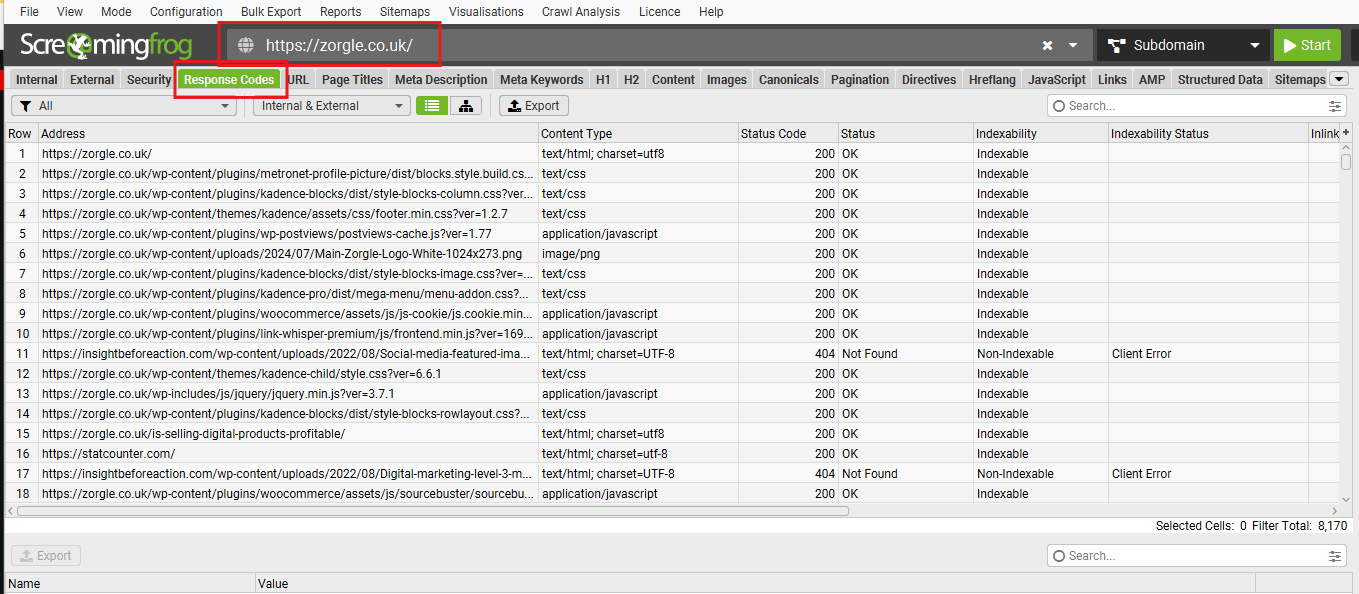
To select the broken links from the long list of URLs click on the filter tab and select ‘Client Error (4xx)’.
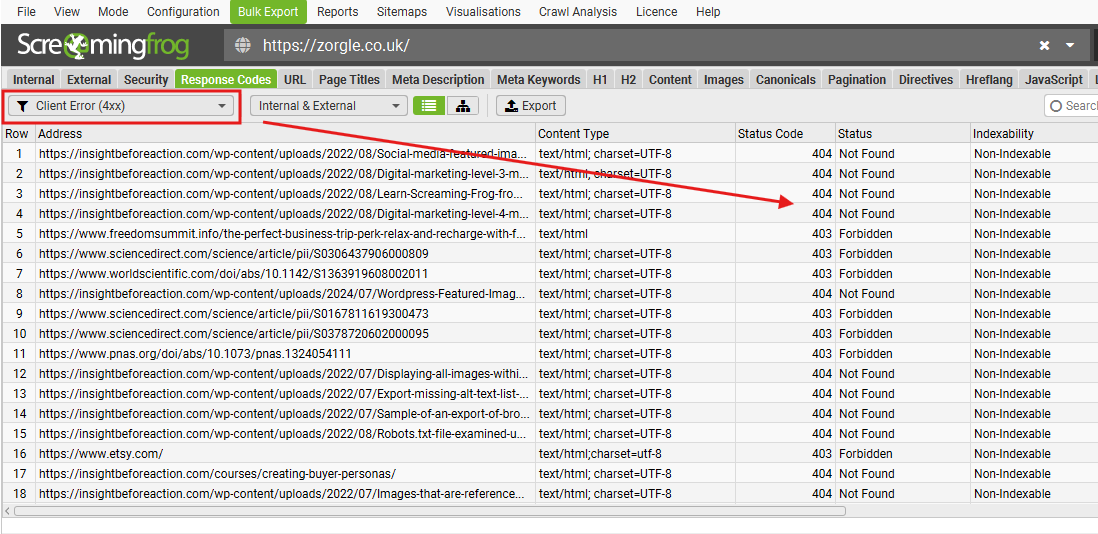
An alternative way is via the right-hand window pane and scroll down to the response codes section and click Client Error (4xx) there. Clicking this will highlight the relevant URLs.

To view the broken link
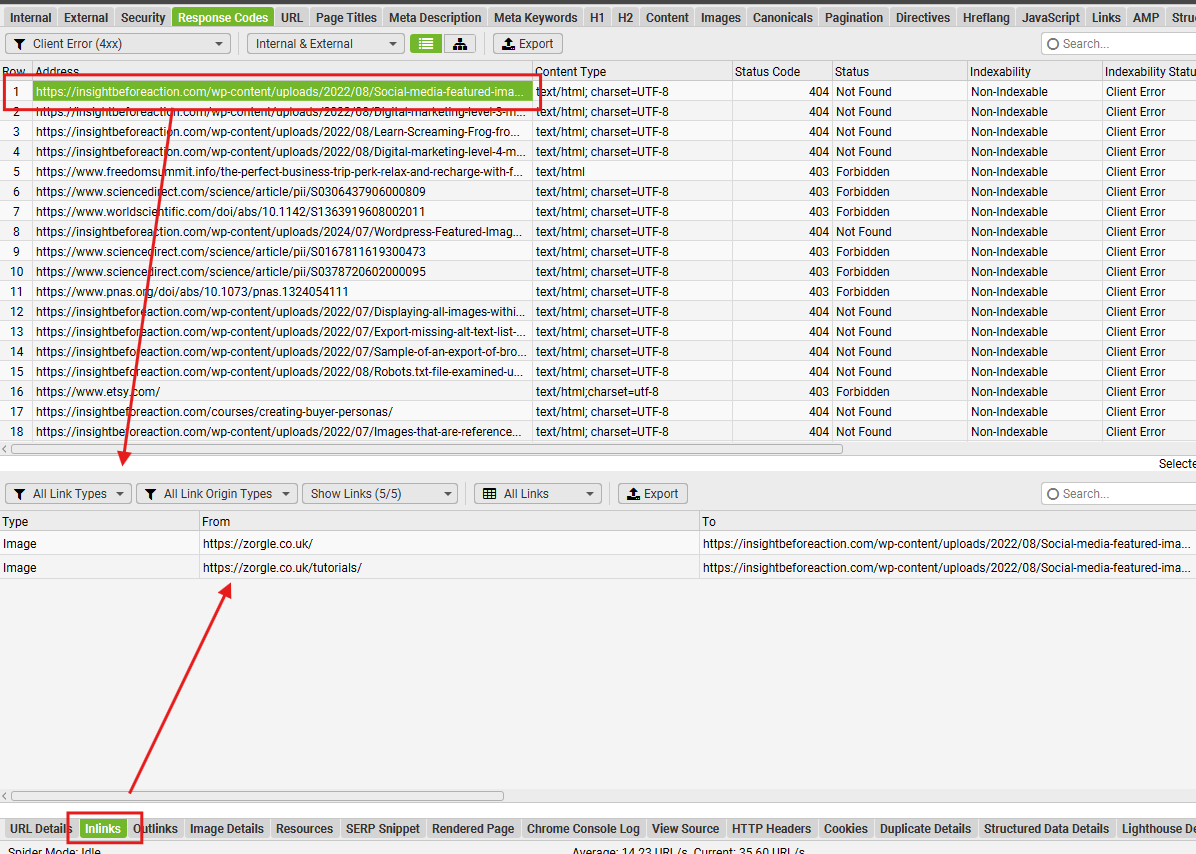
To view the page that links out to this broken link select the chosen URL and select the ‘Inlinks’ tabs at the bottom of the page. This will show which page the URL is on so that you can go in and fix it either by replacing it or deleting the link.
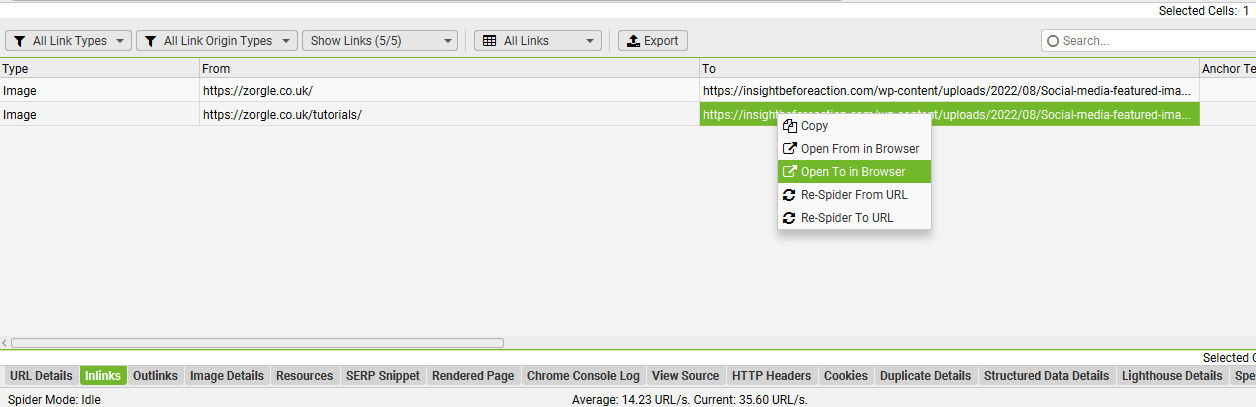
To view the page from which the link is referred, click under the ‘Inlinks tab > From’ and right-click to select ‘open from in browser’.

To view the broken link, repeat as above except right-click on ‘Open to In Browser’.

To check whether the link still works and it might be a typo on your website, simply right-click the ‘To’ column to view if the referenced link is still live.
How to export the list of broken links
You can export a list of your broken links via ‘Bulk Export > Response codes > client error 404s’
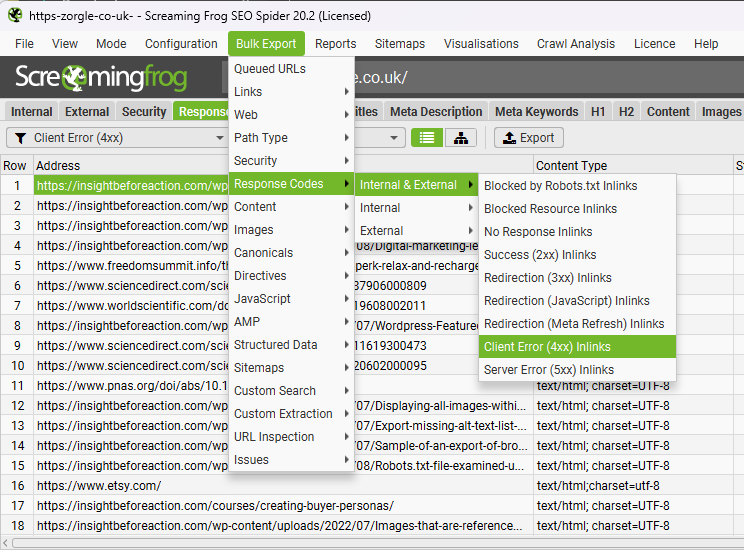
The file will contain all the information from the main window and the granular bottom window too.

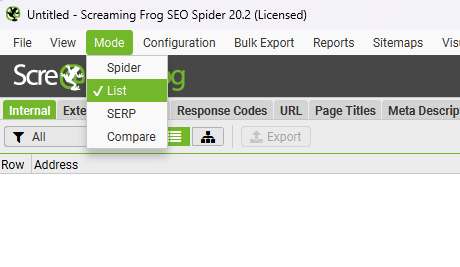
Another method of checking for broken links from a list of known URLs that you wish to upload can be done by clicking on ‘Mode > List’ then clicking on the top menu ‘Upload’ and pasting in a list of URLs to check.
Please Note: you can save the export file as a .csv file, an .xlsx file, or even to Google sheets