Getting 1TB of free cloud storage is easier than you might think. Several services offer this amount without any cost, helping you save space on your devices and keep your files safe online. You can get 1TB free by using providers like TeraBox or by combining multiple free cloud accounts with tools that manage them together.
This gives you plenty of room for photos, documents, and videos without spending a penny. Whether you choose one service or a mix, understanding how to access and manage these options will help you make the most of your free storage.
Knowing which providers offer reliable and secure storage is important too. This guide will help you find the best ways to secure 1TB for free and keep your files protected across devices.
Key Takeaways
- You can access 1TB free cloud storage through specific providers or by merging accounts.
- Managing multiple storage options can increase your total free space easily.
- Choosing trusted services ensures your data stays safe and available.
Quick Start: Getting 1TB of Free Cloud Storage
Getting 1TB of free cloud storage is easier than you might think if you know where to look. You will find options that offer a full terabyte without cost, but you need to understand how to set up your account properly, which service stands out, and what limits to expect.
Signing Up and Verifying Your Account
To get 1TB of free cloud storage, you usually start by creating an account with a provider like TeraBox. The signup process is straightforward; you give your email, choose a password, and agree to terms. Some services may ask you to verify your account via email or phone to activate the full storage.
Verification helps protect your files and confirms you’re not a bot. Without it, your storage might be restricted to a smaller amount. Be sure to keep your login details safe and enable any extra security features, like two-factor authentication, to protect your data.
Best Choice: TeraBox Overview
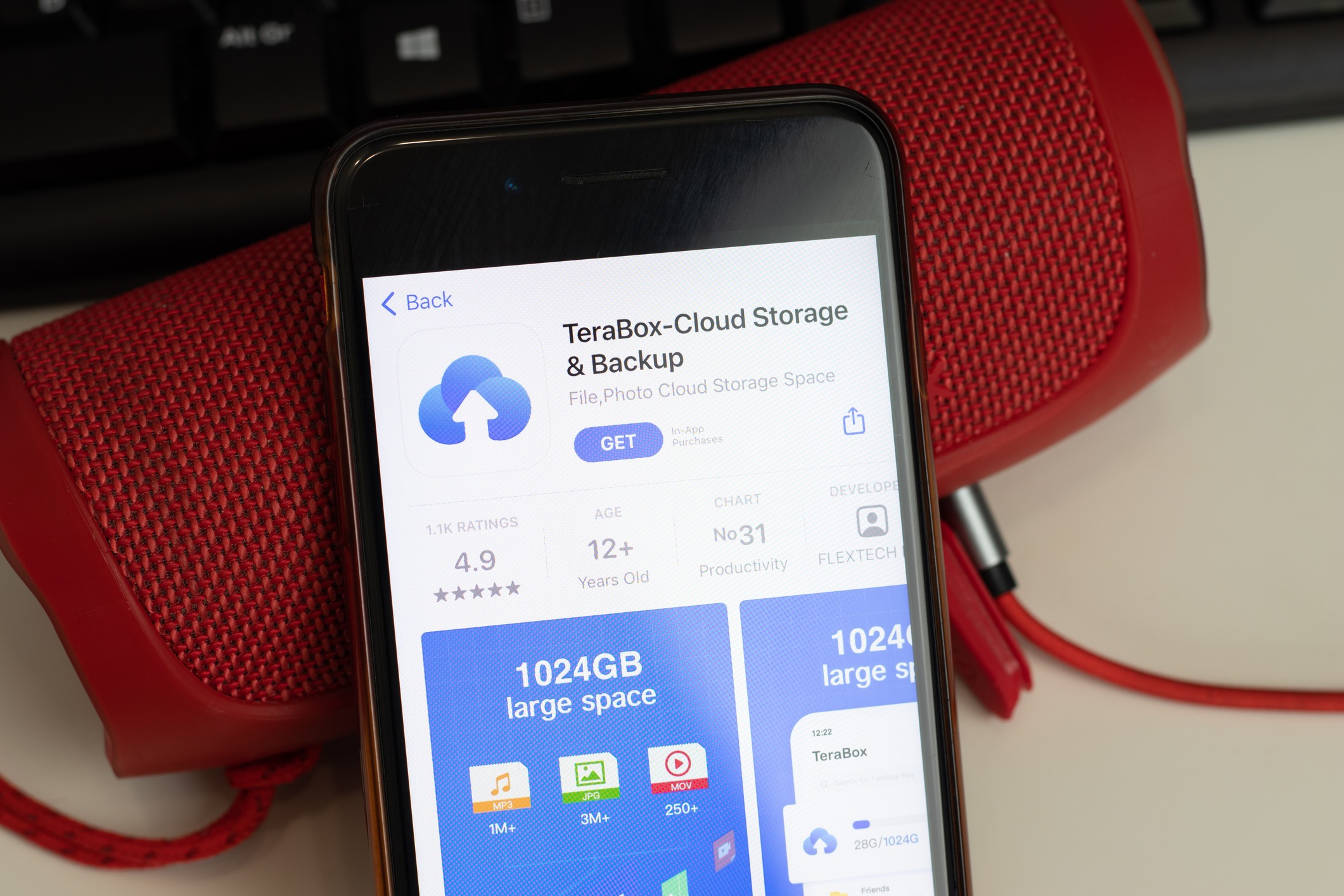
TeraBox is one of the top free cloud storage services that offers a full 1TB of space at no charge. You can use it on many devices, including Windows, Mac, iPhone, and Android. It supports simple file uploads and transfers, making it easy to save your photos, documents, and videos.
The upload speeds are reasonable for typical home internet connections, but very large files may take some time. Despite being free, TeraBox does not heavily limit your file types or sizes in most cases. This makes it a practical option if you need an easy, large storage space without paying.
Critical Limitations and Considerations
While 1TB free cloud storage sounds ideal, you need to watch for some important limits. First, most free plans, including TeraBox, might show ads or offer fewer features than paid plans. Upload speeds can vary and sometimes slow down during peak hours.
Another consideration is data security and privacy. Free services might not have the same level of protection as paid ones. Finally, watch out for storage limits that might reset or reduce after long inactivity. Always read terms to avoid surprises with usage policies or hidden costs.
Top Cloud Storage Services Offering Large Free Space
You can get a significant amount of free cloud storage from different providers. Some offer large initial space, while others increase your free storage through referrals or achievements. These services balance free space with features and security.
Degoo: 100GB Free Cloud Storage and Referral Bonuses
Degoo provides you with 100GB of free cloud storage upfront, which is one of the largest initial offers available. The storage is mainly for backups, meaning you can safely store photos, videos, and documents.
You can also increase your free space by inviting friends. For each successful referral, you get extra storage added to your account. This way, Degoo lets you expand your cloud capacity simply by sharing the service with others.
The service uses encryption to protect your files, though its focus is more on backup than file sharing. This makes it suitable if you want a large amount of space primarily for storing data securely.
Mega: Free Storage and Achievement System
Mega offers you 20GB of free storage when you first sign up. While smaller than Degoo’s offer, Mega has a unique achievement system that boosts your free space.
You earn more space by completing tasks like installing mobile apps, verifying your email, or referring friends. These achievements can increase your total free storage significantly over time.
Mega focuses on strong encryption and privacy. It is one of the most secure free cloud providers. You can also share files easily with friends using special links.
Blomp: Expanding Free Storage with Referrals
Blomp starts by giving you 20GB of free cloud storage when you register. The standout feature of Blomp is its generous referral scheme.
Each friend you refer adds up to 10GB extra free storage to your account. This means you can quickly build up to 1TB or more by inviting people.
Blomp also supports common file types and basic sharing options. While its free tier mainly focuses on space, the referral bonuses make it a good choice if you want to grow your storage for free.
Other Notable Providers
Several other providers offer free storage but with smaller initial amounts or limits:
- Google Drive: 15GB free, widely used, good for documents and photos.
- Dropbox: 2GB free, easy sharing and syncing.
- OneDrive: 5GB free, integrated with Microsoft apps.
- pCloud: 10GB free, with options to increase by referrals.
These providers may not reach 1TB free easily but are well-known for stability and usability. They fit well if you need moderate storage with solid features and security.
Combining Multiple Cloud Storage Providers
You can increase your total free cloud storage by linking several cloud accounts into one place. This lets you manage your files easily and use the combined free limits from different services. Tools like MultCloud and CBackup make it simple to merge and control your cloud backup space.
Using Aggregator Tools Like MultCloud and CBackup
MultCloud and CBackup are popular tools to join multiple cloud storage accounts. They let you connect Google Drive, OneDrive, Dropbox, and other services into a single dashboard.
With MultCloud, you can transfer and sync files directly between clouds without downloading. It supports many cloud services and offers a secure way to manage your storage.
CBackup specialises in combining free storage across accounts. For example, you can add two Google Drive accounts to get 30GB instantly and keep adding more drives, reaching 1TB or more for free.
Both tools simplify cloud backup and reduce the hassle of switching between apps. They help protect your data by storing copies on several platforms.
Step-by-Step Guide to Merging Free Storage Allowances
- Create accounts: Sign up for free plans on cloud services like Google Drive, OneDrive, and Dropbox.
- Choose an aggregator: Pick a tool such as CBackup or MultCloud for managing multiple accounts.
- Connect your cloud services: Log in to each cloud provider via the aggregator interface.
- Combine storage: Use the tool’s feature to merge free storage space from all connected accounts.
- Start uploading or syncing: Move files to your combined storage without manually transferring between accounts.
This process increases your available cloud storage without extra cost. Regularly check your accounts and clean up duplicates to maximise space.
Comparing Key Features of Free Cloud Storage Solutions
When choosing a free cloud storage service, you should look closely at how your data is protected, how easy it is to manage and share files, what tools exist for teamwork, and whether the service works well across your devices.
Security: Encryption Types and Data Protection
Your files need strong protection. Many leading free cloud services use 256-bit AES encryption, which is a high level of security for data at rest.
Some providers offer client-side encryption, meaning your data is encrypted before it leaves your device. This adds privacy since the provider can’t read your files.
Zero-knowledge encryption and end-to-end encryption are even better because only you hold the keys to decrypt your data. This is rare but very secure.
Look for two-factor authentication (2FA) to add an extra layer of security when you log in. Check if the service keeps logs or shares data with third parties.
File Management and Sharing
Good cloud storage offers simple file versioning that lets you restore earlier versions in case of accidental changes or deletions.
Sharing files is common, so well-designed sharing features matter. These include creating links, setting expiry dates, or controlling access permissions (view-only or edit).
Some services let you share folders, not just files, making it easier to manage large projects or group resources.
Easy-to-use interfaces and reliable syncing across devices help you keep your files organised.
Collaboration Capabilities
If you work with others, collaboration tools are key. Some free plans include integrated office apps or support for third-party tools.
Features like real-time editing, commenting, and change tracking help smooth teamwork.
Look for support for simultaneous access to files and notifications about updates or comments.
These tools can save time and avoid confusion if you regularly co-edit documents or share project files.
Platform Compatibility
You want a service that works on your devices. Most top free storage providers support Windows, macOS, Android, and iOS.
Some also offer browser access so you can manage files without installing apps.
Check if the service supports backup and syncing options on Windows PCs or mobile, depending on your needs.
A well-made app ensures smoother file transfers and better overall experience on each platform.
Evaluating the Trustworthiness and Risks of Free Plans
When choosing free cloud storage plans, you must carefully weigh the security and reliability of the service. Some providers have strong privacy protections, while others may expose your data to risks. You should also be aware of limits that could affect your access to files or cause data loss over time.
Data Privacy and Security Concerns
Free cloud storage services often have fewer security measures than paid plans. This means your personal data might be at higher risk of unauthorised access or breaches. Many free plans offer only basic encryption, sometimes only during file transfer, leaving stored files vulnerable.
You should check if the provider has clear privacy policies and uses end-to-end encryption. Be cautious with services that collect and share user data for advertising purposes.
Using free cloud backup services for sensitive or important files can expose you to risks, especially if the company does not regularly update its security features or lacks strong customer support. Always prioritise cloud storage services that are transparent about their security practices.
Service Limitations and Data Loss Risks
Free cloud storage plans often come with strict limits on file size, bandwidth, or storage duration. Providers may suspend accounts or delete files after periods of inactivity or exceed storage limits without ample warning.
In some cases, the free services may not offer reliable sync or backup features, which can lead to accidental data loss. You should also be aware that free storage deals typically lack professional support, reducing recovery options if problems arise.
Check if the cloud storage service has a clear policy on data retention and account limits. Avoid storing critical files only on free platforms, and consider combining multiple free plans or using services like CBackup to manage several cloud accounts together securely.
Recommendations for Optimising Your Free Cloud Storage Experience
To make the most of free cloud storage, focus on picking the right service, using it for reliable backups, and organising your files well. These steps help you avoid running out of space and keep your data safe and easy to find.
Choosing the Best Plan for Your Needs
You should start by evaluating how you intend to use your free cloud storage. Different services offer various features along with storage limits, so balance capacity with extra benefits like security, device compatibility, and speed.
Look for platforms that offer at least 1TB free if possible, especially if you plan to store large files. Google Drive, pCloud, and Sync.com are popular options worth considering. Also, check for any conditions like requiring school or work credentials to unlock extra space.
Think about security too. Choose services with strong encryption and privacy policies if you store sensitive data. Finally, compare desktop and mobile app availability to manage your files easily across devices.
Using Free Storage for Backups and File Versioning
Free cloud storage is excellent for keeping backups of important files. Set up automatic syncing so new changes or added files are saved without you needing to remember.
Many services offer file versioning, which lets you restore earlier versions of documents. This is handy if you mistakenly delete or overwrite something. Make sure your chosen provider supports this feature with their free plan.
Use online storage to back up photos, documents, and project files regularly. This reduces the risk of losing data due to hardware failure or accidental deletion. Keep backups organised by creating folders with clear names and dates.
Managing Files Efficiently Across Multiple Providers
If you need more than 1TB of space, combining multiple free accounts can help. Services like CBackup or MultCloud allow you to connect and manage many cloud accounts from one place.
Avoid clutter by organising your files logically between providers. For example, use one for personal files and another for work documents. Regularly clear out old or unnecessary files to free up space.
Keeping track of where your data is stored saves time when searching or sharing. Using a single app to manage multiple accounts reduces hassle and keeps your online storage streamlined.
Frequently Asked Questions
You can find free 1TB cloud storage from several services, each with different ways to access it. Some offers come with lifetime free storage, while others include 1TB as part of an introductory deal. There are also options starting with smaller free storage that can grow to 1TB.
What are the top services offering 1TB of free cloud storage?
TeraBox is a popular choice, offering a full 1TB of free cloud storage. Google Drive and OneDrive sometimes provide 1TB free through specific promotions or linked accounts. Other services like pCloud and Sync.com offer large free storage, mostly for students or educators.
How to obtain 1TB of lifetime cloud storage at no cost?
You can use TeraBox, which gives 1TB permanently for free. Another way is by combining multiple free accounts using backup tools like CBackup to manage and increase your total storage. Always check terms to confirm if the storage remains free without time limits.
Which cloud providers offer 1TB free storage as part of their introductory offer?
Microsoft’s OneDrive may offer 1TB free with Microsoft 365 subscriptions or partner deals. Google Drive sometimes features similar introductory offers. These deals usually require signing up or subscribing for a trial.
Are there any cloud storage options providing 100GB for free, with scalable options up to 1TB?
Services like pCloud provide 10GB or 100GB free initially and let you upgrade to 1TB through paid plans. Dropbox and Google Drive start with smaller amounts but allow you to pay for more storage. Some offer bonus storage for referrals or activities.
How can I unlock 1TB of free storage on OneDrive?
You can unlock 1TB free storage by subscribing to Microsoft 365, which includes OneDrive as part of the package. Some educational accounts also come with 1TB at no extra cost. Check if your school or organisation provides this.
What are the most affordable cloud storage plans for expanding beyond 1TB?
Microsoft 365 plans start around £5 per month for 1TB OneDrive storage. Google One offers 2TB for about £7 per month, which can be shared with family. pCloud has a one-time payment option for 2TB, often cheaper in the long run. Compare based on your needs and budget.