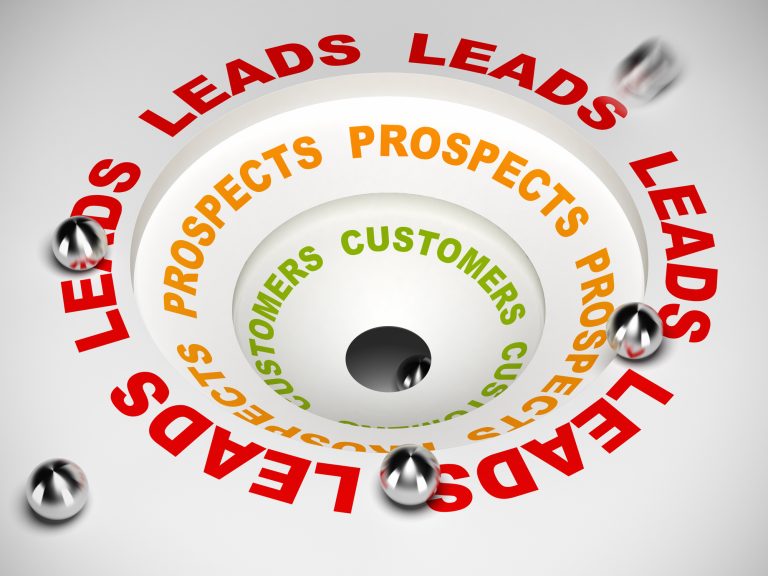
If you’re looking to boost your online business revenue, then creating a sales funnel is a must. A sales funnel is a series of steps that guide your potential customers towards making a purchase. By creating a sales funnel, you can convert more website visitors into paying customers, increase your customer lifetime value and ultimately grow your business.
Squarespace is a popular website builder that offers a range of features and tools to help you create a professional-looking website. One of its most useful features is the ability to create a sales funnel directly on your website. By using Squarespace to create your sales funnel, you can save time and money by not having to use third-party software or services.
In this article, we’ll take you through the process of creating a sales funnel in Squarespace. We’ll cover everything from understanding sales funnels and setting up your Squarespace website to identifying your target audience, driving traffic to your website, and optimising your website for search engines.
We’ll also show you how to create effective landing pages, build email marketing strategies, implement discount and upsell strategies, and monitor and improve your conversion rates. Finally, we’ll show you how to set up a payment processor and increase your revenue through a digital marketing funnel.
Key Takeaways
- Building a sales funnel is essential for increasing your online business revenue.
- Squarespace is a great platform for creating a sales funnel directly on your website.
- By following the steps outlined in this article, you can create an effective sales funnel that will help you convert more website visitors into paying customers.
Understanding Sales Funnel
When it comes to creating a successful online business, understanding the sales funnel is crucial. A sales funnel is a visual representation of the customer journey from initial awareness to purchase. By understanding the stages involved, you can create a sales funnel that guides potential customers through the process and increases the likelihood of conversion.
The sales funnel is often divided into four stages: awareness, consideration, evaluation, and purchase. At each stage, potential customers have different needs and expectations, and your marketing strategy should reflect this.
Awareness: At this stage, potential customers are becoming aware of your brand and what you offer. Your goal is to attract their attention and make a positive first impression. This can be achieved through social media marketing, content marketing, and search engine optimization (SEO).
Consideration: Once potential customers are aware of your brand, they will start to consider whether your product or service is right for them. At this stage, you should provide more detailed information about what you offer and how it can benefit them. This can be achieved through email marketing, webinars, and case studies.
Evaluation: At this stage, potential customers are evaluating whether to make a purchase. They may be comparing your product or service to competitors or considering the cost and value. Your goal is to provide them with the information they need to make an informed decision. This can be achieved through customer reviews, testimonials, and demos.
Purchase: The final stage of the sales funnel is the purchase. At this stage, potential customers have decided to buy from you, and it’s up to you to make the process as smooth and easy as possible. This can be achieved through a well-designed website, clear pricing and delivery information, and excellent customer service.
By understanding the sales funnel and the customer journey, you can create a marketing strategy that guides potential customers through the process and increases the likelihood of conversion. Squarespace provides a range of tools and features that can help you create an effective sales funnel, including email marketing, analytics, and e-commerce functionality.
Why Squarespace for Sales Funnel
Squarespace is a popular website builder that offers an all-in-one platform for creating and managing a professional website. It provides a user-friendly interface and a range of features that make it easy to build, customize, and optimize your website. But why should you choose Squarespace for creating a sales funnel?
Firstly, Squarespace allows you to create an online store with ease. You can add products, manage inventory, and process payments seamlessly. Squarespace also integrates with a variety of payment gateways, including Stripe, PayPal, and Apple Pay. This means you can offer your customers a secure and convenient way to make purchases.
Secondly, Squarespace offers a range of marketing tools that can help you create an effective sales funnel. For instance, you can create landing pages, email campaigns, and social media ads to attract potential customers. You can also track your website traffic and sales using Squarespace’s built-in analytics tools. This data can help you optimize your sales funnel and improve your conversion rates.
Thirdly, Squarespace has a range of portfolio templates that are perfect for showcasing your products or services. You can customize these templates to suit your brand and add your own images and content. This can help you create a visually appealing sales funnel that engages your target audience and builds trust in your brand.
In summary, Squarespace is an excellent choice for creating a sales funnel. It offers an easy-to-use platform, a range of marketing tools, and a variety of portfolio templates. By using Squarespace, you can create a professional and effective sales funnel that helps you attract, engage, and convert potential customers.
Setting Up Your Squarespace Website
If you are looking to create a sales funnel using Squarespace, the first step is to set up your website. Squarespace is a user-friendly platform that allows you to create a professional-looking website without any coding knowledge.
To get started, sign up for a Squarespace account and choose a template that suits your business needs. Squarespace offers a range of templates that are specifically designed for different industries, including e-commerce, photography, and blogging.
Once you have chosen a template, you can customize it by adding your own branding, images, and text. Squarespace also allows you to create landing pages, which are standalone pages that are designed to capture leads. Landing pages can be used to promote a specific product or service, or to encourage visitors to sign up for your mailing list.
If you are planning to sell physical products through your website, you will need to set up an online store. Squarespace offers an easy-to-use e-commerce platform that allows you to create product listings, manage inventory, and process payments. You can also integrate your store with popular payment gateways such as Stripe and PayPal.
To create a sales funnel, you will need to create a series of pages that guide visitors towards making a purchase. This can include a landing page that offers a free resource in exchange for an email address, a product page that showcases your offerings, and a checkout page that makes it easy for customers to complete their purchase.
In summary, setting up your Squarespace website is the first step towards creating a sales funnel. By choosing a template, customizing your site, and setting up an online store, you can create a professional-looking website that is designed to convert visitors into customers.
Identifying Your Target Audience
Before you start building your sales funnel in Squarespace, it’s important to identify your target audience. Knowing who your potential customers are and what they are looking for will help you create a more effective sales funnel.
1. Define your ideal customer
Start by creating a profile of your ideal customer. Consider their age, gender, location, interests, and pain points. This will help you tailor your messaging and content to resonate with your target audience.
2. Conduct market research
Do some research to understand your target audience’s behaviour and preferences. Use analytics tools like Squarespace Analytics to gather data on your website visitors. This will help you identify trends and patterns in user behaviour, such as which pages they visit most often, how long they stay on your site, and what actions they take.
3. Analyse your competitors
Look at what your competitors are doing to attract and engage their target audience. Analyse their website, social media accounts, and advertising campaigns. This will give you insights into what works and what doesn’t in your industry.
4. Create buyer personas
Use the information you have gathered to create buyer personas. These are fictional representations of your ideal customers, based on real data and research. Use these personas to guide your content creation and marketing efforts.
By identifying your target audience, you can create a sales funnel that speaks directly to their needs and interests. This will increase the chances of converting visitors into customers and ultimately boost your sales.
Driving Traffic to Your Website
Once you have set up your sales funnel in Squarespace, the next step is to drive traffic to your website. Without traffic, your sales funnel will not be able to generate leads or sales.
Social Media
Social media is a great way to drive traffic to your website. You can use platforms like Facebook and Instagram to promote your website and your sales funnel. You can also use social media to engage with your audience and build a community around your brand. Make sure to include links to your website in your social media posts and bios.
Google is the most popular search engine in the world. You can use Google to drive traffic to your website by optimizing your website for search engines. This is known as search engine optimization (SEO). Make sure to include relevant keywords in your website content and meta descriptions. You can also use Google Ads to advertise your website and drive traffic to it.
Advertisements
You can use advertisements to drive traffic to your website. You can use platforms like Facebook Ads and Google Ads to advertise your website and your sales funnel. Make sure to target your ads to your ideal audience to get the best results.
Traffic
You can also drive traffic to your website by guest blogging, participating in online forums, and commenting on other blogs. Make sure to include a link to your website in your guest posts, forum comments, and blog comments.
In conclusion, driving traffic to your website is essential to the success of your sales funnel. Use social media, Google, advertisements, and other methods to drive traffic to your website and generate leads and sales.
Optimising Your Website for Search Engines
When creating a sales funnel in Squarespace, it’s important to optimise your website for search engines. This will help your website rank higher in search engine results pages (SERPs), making it easier for potential customers to find you. Here’s what you need to know about optimising your Squarespace website for search engines:
SEO Basics
SEO, or search engine optimization, is the process of improving your website’s visibility and ranking in search engine results pages. There are a few basic things you can do to improve your website’s SEO:
- Use relevant keywords in your website’s content, including page titles, descriptions, and headings.
- Make sure your website’s content is high-quality and relevant to your target audience.
- Use meta tags and descriptions to help search engines understand what your website is about.
- Ensure that your website is mobile-friendly and has a fast loading speed.
Squarespace SEO Features
Squarespace has a number of built-in features that can help you optimise your website for search engines. Here are a few of the most important ones:
- SEO Settings: Squarespace allows you to customise your website’s SEO settings, including page titles, descriptions, and URLs. You can also add meta tags and descriptions to individual pages and blog posts.
- Sitemap: Squarespace automatically generates a sitemap for your website, which makes it easier for search engines to crawl and index your pages.
- Mobile-Friendly Design: Squarespace’s templates are designed to be mobile-friendly, which is important for SEO since Google now prioritises mobile-friendly websites in search results.
- SSL Security: Squarespace provides SSL security for all websites, which can improve your website’s ranking in search results.
Keywords
Keywords are an important part of SEO, as they help search engines understand what your website is about. When selecting keywords for your Squarespace website, it’s important to choose relevant keywords that accurately reflect your business and the products or services you offer. You can use keyword research tools to help you identify the most relevant keywords for your website.
Overall, optimising your Squarespace website for search engines is an important part of creating a successful sales funnel. By following these SEO best practices and taking advantage of Squarespace’s built-in SEO features, you can improve your website’s visibility and attract more potential customers.
Creating Effective Landing Pages
Landing pages are critical components of a sales funnel. They are the first impression your potential customers have of your business, so it’s important to make sure they are effective in converting visitors into leads. In Squarespace, you can create landing pages with ease using their drag-and-drop website builder.
To create an effective landing page, you need to consider the following:
1. Define Your Goal
Before creating your landing page, you need to define your goal. What do you want visitors to do when they land on your page? Do you want them to sign up for a free trial, download an ebook, or make a purchase? Once you have a clear goal in mind, you can design your landing page accordingly.
2. Keep it Simple
Your landing page should be simple and easy to navigate. Avoid cluttering the page with too much information or too many calls to action. Keep the design clean and minimalistic, with a clear hierarchy of information.
3. Use Attention-Grabbing Headlines
Your headline is the first thing visitors will see when they land on your page, so it needs to be attention-grabbing. Use a bold font and make sure your headline clearly communicates the benefit of your product or service.
4. Include High-Quality Images and Videos
Images and videos can help to convey your message and make your landing page more engaging. Use high-quality visuals that are relevant to your product or service and that help to tell your story.
5. Use Social Proof
Social proof is a powerful tool that can help to build trust with your visitors. Include customer testimonials, case studies, or social media mentions to show that other people have had a positive experience with your product or service.
6. Optimize for Conversion
Finally, make sure your landing page is optimized for conversion. This means using clear calls to action, such as “Sign Up Now” or “Download Your Free Ebook”. Use contrasting colours for your buttons to make them stand out, and place them in prominent positions on the page.
By following these tips, you can create effective landing pages that convert visitors into leads. Keep track of your conversion rates and click-through rates to see what’s working and what’s not, and make adjustments accordingly.
Building Email Marketing Strategies
Email marketing is a crucial part of any sales funnel, and Squarespace makes it easy to integrate with popular email marketing platforms like Mailchimp. By building an email list and crafting effective email campaigns, you can nurture leads and turn them into customers.
First, you’ll need to create an email list. This can be done by adding a newsletter block to your Squarespace site and connecting it to your email marketing platform. Encourage visitors to sign up for your newsletter by offering exclusive content or discounts.
Once you have a list, it’s time to start crafting email campaigns. Your emails should be engaging, informative, and relevant to your audience. Use a clear subject line and preview text to entice subscribers to open your emails. Segment your list based on interests or behaviors to send targeted messages.
In your emails, include a clear call-to-action (CTA) that encourages subscribers to take action, such as making a purchase or visiting your website. Use persuasive language and highlight the benefits of your products or services.
To maximise the effectiveness of your email campaigns, track your open and click-through rates and adjust your strategy accordingly. Experiment with different subject lines, CTAs, and content to see what resonates with your audience.
Overall, building an effective email marketing strategy is essential for any business looking to create a successful sales funnel. By using Squarespace’s built-in integrations with email marketing platforms like Mailchimp, you can easily build an email list and craft engaging email campaigns that convert leads into customers.
Implementing Discount and Upsell Strategies
Discounts and upselling are two powerful strategies that can help you increase your sales and revenue. In this section, we’ll discuss how to implement these strategies in your Squarespace sales funnel.
Discounts
Offering discounts is a great way to incentivize your customers to make a purchase. Here are a few tips to keep in mind when implementing discounts in your Squarespace sales funnel:
- Set clear goals: Before offering a discount, determine what you want to achieve. Are you trying to boost sales, clear out inventory, or attract new customers? Having a clear goal in mind will help you determine the best type of discount to offer.
- Choose the right discount type: There are many types of discounts you can offer, such as percentage discounts, dollar amount discounts, and free shipping. Choose the type that makes the most sense for your business and your customers.
- Limit the discount: To avoid losing money, set a limit on the discount you offer. For example, you could offer a 10% discount on orders over £50.
Upselling
Upselling is the practice of offering customers a higher-end or more expensive product than the one they are considering. Here are some tips for implementing upselling in your Squarespace sales funnel:
- Know your customers: To effectively upsell, you need to understand your customers’ needs and preferences. Use data from your Squarespace analytics to identify products that are frequently purchased together, and use this information to make relevant upsell offers.
- Offer value: When making an upsell offer, focus on the value the customer will receive from the higher-end product. Explain how it will meet their needs better than the original product they were considering.
- Don’t be pushy: While upselling can be effective, it’s important not to be pushy. Make the offer, but don’t pressure the customer into making a purchase they’re not comfortable with.
By implementing discounts and upselling strategies in your Squarespace sales funnel, you can increase your sales and revenue while providing value to your customers.
Monitoring and Improving Conversion Rates
Once you have set up your sales funnel in Squarespace, it’s essential to monitor and improve your conversion rates regularly. Conversion rates refer to the percentage of visitors who take the desired action on your website, such as making a purchase or filling out a form. By monitoring your conversion rates, you can identify areas where you need to improve your sales funnel and increase your revenue.
Squarespace provides built-in analytics tools that allow you to track your website’s performance, including your conversion rates. You can access these tools by navigating to the Analytics section of your Squarespace dashboard. Here, you can view various metrics, such as the number of visitors to your site, the pages they visit, and the conversion rates for each page.
To improve your conversion rates, you first need to identify the pages or steps in your sales funnel where visitors are dropping off. For example, if you have a high click-through rate on your email campaign, but visitors are not converting on your landing page, you may need to make adjustments to your landing page’s design or content.
One way to identify areas for improvement is to use A/B testing. With A/B testing, you create two versions of a page and test them against each other to see which one performs better. Squarespace offers A/B testing tools that allow you to test different versions of your pages and track the results.
In addition to A/B testing, you can also use heat mapping tools to gain insights into how visitors are interacting with your pages. Heat maps show you where visitors are clicking, scrolling, and spending the most time on your pages. By using this information, you can make informed decisions about how to improve your pages and increase your conversion rates.
Overall, monitoring and improving your conversion rates is a crucial part of building a successful sales funnel in Squarespace. By using Squarespace’s built-in analytics tools, A/B testing, and heat mapping, you can identify areas for improvement and make data-driven decisions to increase your revenue.
Setting Up Payment Processor
Setting up a payment processor is a crucial step in creating a sales funnel in Squarespace. Without a payment processor, you won’t be able to accept credit card payments, which can greatly limit your sales potential.
Squarespace offers a built-in payment gateway called Stripe, which is a popular and secure payment processor used by many businesses. To set up Stripe, simply go to your Squarespace Commerce settings and choose Stripe as your payment processor. You’ll need to create a Stripe account if you don’t already have one, but Squarespace makes the process easy by guiding you through the steps.
Once you’ve set up Stripe, your customers will be able to enter their credit card information directly on your Squarespace website. Squarespace will securely transmit the payment information to Stripe, which will process the payment and deposit the funds into your bank account. It’s a seamless process that makes it easy for you to accept payments and for your customers to make purchases.
In addition to Stripe, Squarespace also allows you to integrate other payment processors if you prefer. For example, you can use PayPal or Apple Pay as your payment processor. Squarespace provides detailed instructions on how to set up these alternative payment methods, so you can choose the one that works best for your business.
It’s important to note that Squarespace charges a transaction fee for each purchase made through your website. The fee varies depending on your Squarespace plan and the payment processor you choose. Be sure to review Squarespace’s pricing and transaction fee information before setting up your payment processor, so you know what to expect.
In summary, setting up a payment processor is a crucial step in creating a sales funnel in Squarespace. Squarespace offers a built-in payment gateway called Stripe, but you can also integrate other payment processors if you prefer. Be sure to review Squarespace’s pricing and transaction fee information before setting up your payment processor, so you know what to expect. With a payment processor in place, you’ll be able to accept credit card payments and increase your sales potential.
Increasing Revenue Through Digital Marketing Funnel
Creating a digital marketing funnel is an effective way to increase revenue for your Squarespace website. A digital marketing funnel is a process that guides potential customers from awareness to purchase. It’s a series of steps that a customer takes from the moment they become aware of your brand to the point where they make a purchase. In this section, we’ll cover how to create a digital marketing funnel that will help you increase revenue for your Squarespace website.
Step 1: Create Awareness
The first step in creating a digital marketing funnel is to create awareness of your brand. This can be done through various channels, such as social media, email marketing, and search engine optimization. You can create social media accounts for your brand, send out newsletters to your email subscribers, and optimize your website for search engines. By creating awareness of your brand, you’re increasing the chances of potential customers finding your website.
Step 2: Generate Interest
Once potential customers are aware of your brand, the next step is to generate interest in your products or services. This can be done by providing valuable content on your website, such as blog posts or videos. You can also offer free resources, such as e-books or webinars, to attract potential customers. By providing value to your potential customers, you’re increasing the chances of them becoming interested in your brand.
Step 3: Convert Interest into Action
The next step in the digital marketing funnel is to convert interest into action. This can be done by offering a free trial or a discount on your products or services. You can also provide a clear call-to-action on your website, such as “Buy Now” or “Sign Up Today”. By making it easy for potential customers to take action, you’re increasing the chances of them becoming paying customers.
Step 4: Nurture the Customer Relationship
Once a customer has made a purchase, it’s important to nurture the relationship. This can be done by providing excellent customer service, offering loyalty rewards, and sending out newsletters or promotional emails. By nurturing the customer relationship, you’re increasing the chances of repeat business and positive reviews.
In conclusion, creating a digital marketing funnel is an effective way to increase revenue for your Squarespace website. By creating awareness of your brand, generating interest, converting interest into action, and nurturing the customer relationship, you’re increasing the chances of potential customers becoming paying customers.
Conclusion
Congratulations! You have successfully created a sales funnel in Squarespace. By following the steps outlined in this guide, you have created a powerful tool that will help you convert more visitors into customers.
Remember, a sales funnel is an ongoing process that requires continuous monitoring and optimization. Use the data and insights you gather to refine your funnel and improve your conversion rates.
Here are a few key takeaways to keep in mind:
- Start with a clear goal in mind and design your funnel around that goal.
- Use engaging content and compelling calls-to-action to guide visitors through your funnel.
- Monitor your funnel’s performance regularly and use data to identify areas for improvement.
- Test different elements of your funnel to optimize for conversion rates.
By implementing these best practices, you can create a sales funnel that drives more sales and grows your business. Good luck!
Frequently Asked Questions
What are the best Squarespace pricing plans for creating a sales funnel?
Squarespace offers four pricing plans: Personal, Business, Basic Commerce, and Advanced Commerce. All of these plans have features that can be used to create a sales funnel. However, the Basic Commerce and Advanced Commerce plans offer more advanced e-commerce features that can be used to create a more effective sales funnel.
How can I use Squarespace’s sales page template to create an effective sales funnel?
Squarespace offers several sales page templates that can be used to create an effective sales funnel. These templates are designed to help you showcase your products or services and encourage visitors to take action. To create an effective sales funnel using Squarespace’s sales page template, you should focus on creating compelling copy, using high-quality images and videos, and including persuasive calls to action.
What are the differences between ClickFunnels and Squarespace for creating a sales funnel?
ClickFunnels is a dedicated sales funnel builder that offers more advanced features for creating sales funnels. Squarespace, on the other hand, is a website builder that offers e-commerce features that can be used to create a sales funnel. While ClickFunnels is more focused on creating sales funnels, Squarespace offers a more comprehensive solution for building a website and selling products or services.
Is it possible to create a sales funnel in Squarespace without using ClickFunnels?
Yes, it is possible to create a sales funnel in Squarespace without using ClickFunnels. Squarespace offers several features that can be used to create a sales funnel, including e-commerce features, sales page templates, and email marketing integrations. With a little creativity and the right strategy, you can create an effective sales funnel in Squarespace without using ClickFunnels.
What are the key steps to creating a successful sales funnel in Squarespace?
The key steps to creating a successful sales funnel in Squarespace include:
- Identifying your target audience
- Creating a compelling offer
- Designing an effective sales page
- Optimizing your sales page for conversions
- Setting up email marketing campaigns
- Driving traffic to your sales funnel
How can I create a custom sales funnel template in Squarespace?
To create a custom sales funnel template in Squarespace, you can use the platform’s built-in design tools and features. You can customize your sales page template by changing the layout, adding new sections, and modifying the design elements. You can also use third-party integrations to add new features and functionality to your sales funnel template.