Did you know that over 40% of websites on the internet are built on WordPress? A key reason for this popularity is the vast selection of themes available, which allow users to create a unique look for their site with ease. But with thousands of themes to choose from, it can be overwhelming to know where to start.
Your theme shapes the user experience and visual identity of your website, so it’s essential to make the right choice. In this guide, you’ll learn how to select a WordPress theme that perfectly fits your website’s purpose, brand, and audience.
Key Takeaways
- Learn to evaluate a theme’s features and responsiveness to ensure a smooth user experience.
- Discover how customisation options impact flexibility and align with your brand’s identity.
- Understand the role of speed and SEO in theme selection to optimise for better search engine rankings.
- Identify trustworthy theme sources to avoid security risks.
- Explore practical tips for narrowing down your choices in a crowded theme marketplace.
1. Understanding Your Website’s Purpose and Audience
Before diving into theme selection, it’s essential to define what you want from your website. Having a clear purpose and understanding your audience will guide your choice.
- Identify Your Goals: Consider whether your site is a blog, e-commerce store, portfolio, or corporate site. Each type of site has different requirements. For instance, an e-commerce site needs product pages, while a blog benefits from clean layouts that focus on readability.
- Know Your Audience: Think about what your audience values most—speed, aesthetics, ease of use—and select a theme that matches these preferences. A modern, professional theme may work for a business site, while a creative, bold theme could be ideal for a personal blog or portfolio.
Choosing a theme that aligns with your goals and audience will make a solid first impression and improve user engagement.
2. Evaluating Features and Functionality
A theme’s features determine how well it meets your website’s functional needs. Most themes offer a variety of features, but not all of them are necessary for every site.
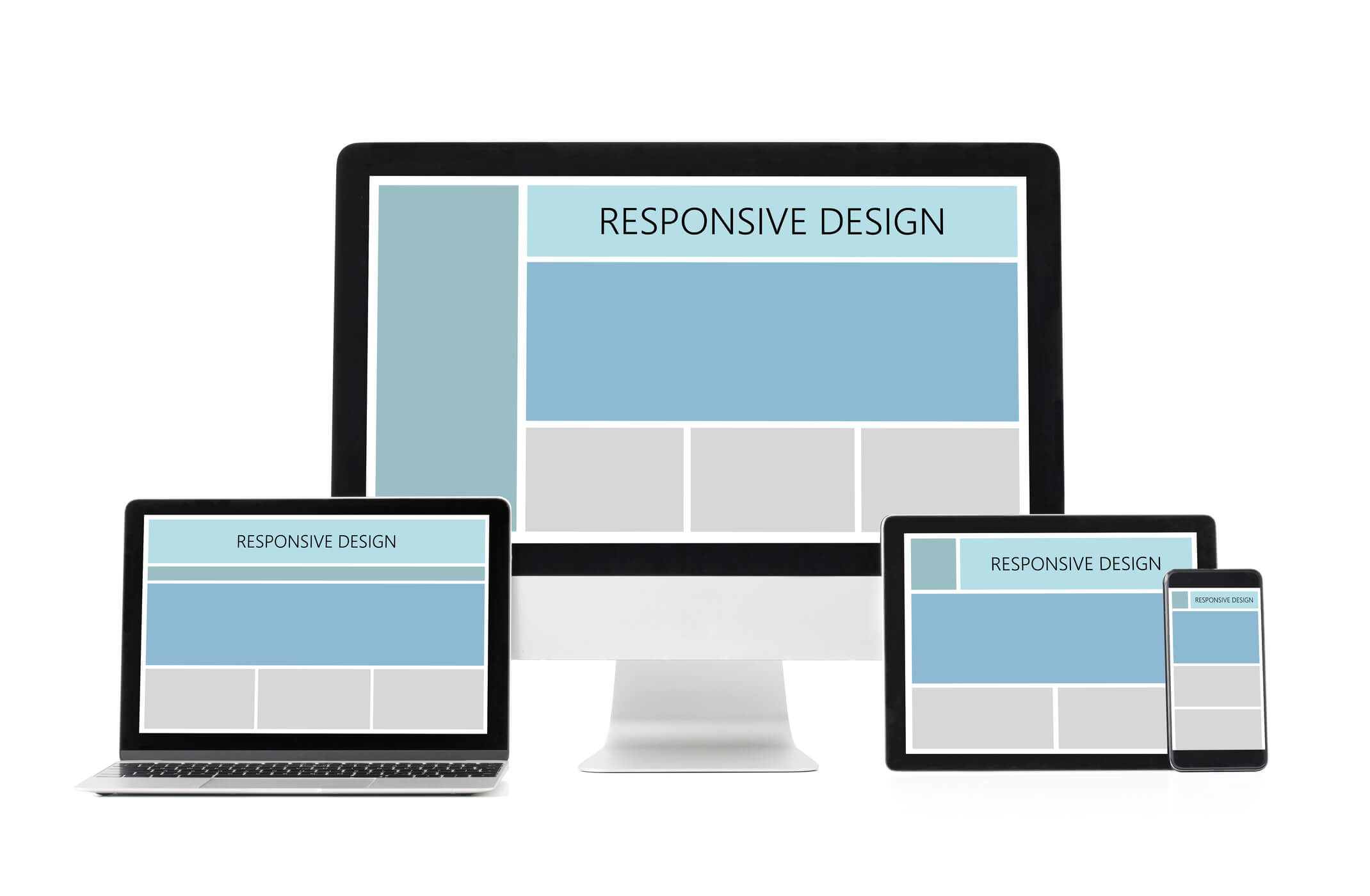
- Responsive Design: Ensure the theme is mobile-friendly. Over half of web traffic comes from mobile devices, so a responsive theme is critical.
- Customisation Options: Look for themes that allow you to adjust colours, fonts, and layouts. The WordPress Customiser makes these changes easy to implement, helping you create a unique look that reflects your brand.
- Essential Page Layouts: Ensure the theme provides the layouts you need, such as a homepage, about page, blog page, or portfolio page. Some themes offer pre-built templates that save time and create a cohesive look.
Choose features that add value to your site without overloading it with unnecessary elements, which can impact loading speed and usability.
3. Speed and SEO Considerations
Your theme impacts your site’s speed and search engine optimisation (SEO), which are crucial for user experience and search rankings.
- Theme Speed: A fast theme keeps users engaged and improves your SEO. Look for lightweight themes and avoid those that rely on heavy code or excess animations. Testing with tools like Google PageSpeed Insights can help gauge a theme’s speed.
- SEO-Friendly Structure: Opt for themes that follow SEO best practices, such as proper heading tags, clean code, and schema markup support. SEO plugins like Yoast work best with themes designed with SEO in mind.
A theme that prioritises speed and SEO sets your site up for better performance and helps improve visibility in search engines.
4. Selecting a Reliable Theme Source
Where you find your theme can be as important as the theme itself. Choosing a theme from a trusted source can save you from potential security issues, poor support, or unexpected compatibility problems.
- WordPress Theme Repository: The official WordPress theme repository offers free themes vetted for quality and security. Look for highly rated themes with consistent updates.
- Premium Theme Marketplaces: Sites like ThemeForest or Elegant Themes offer premium themes with advanced features and customisation options. Premium themes often come with dedicated support and regular updates.
- Developer Reputation: Research the theme developer’s reputation, reviews, and support policies. Reputable developers are more likely to provide long-term updates and support for their themes.
Investing in a theme from a reliable source, whether free or premium, ensures you’re getting a quality product that’s secure and supported.
5. Narrowing Down Your Choices
With so many themes available, it can be challenging to make a final decision. Here are practical ways to refine your options and find the perfect fit.
- Use the Demo: Most themes offer a live demo. Use it to explore how the theme looks and functions, imagining how your content would fit.
- Prioritise Must-Have Features: List the features you absolutely need and compare themes based on those criteria. This will help you avoid themes that may look appealing but don’t serve your website’s purpose.
- Consider Support and Documentation: Quality support can make a huge difference, especially for beginners. Check if the theme includes detailed documentation and if the developer offers responsive support.
By testing demos, focusing on essential features, and ensuring strong support, you can confidently choose a theme that aligns with your vision and functionality needs.
Conclusion
Choosing the right WordPress theme is a foundational step in building a website that resonates with your audience and meets your goals. By identifying your site’s purpose, prioritising essential features, and considering speed and SEO, you’re well on your way to selecting a theme that supports your success. Remember to check the source and support options to ensure you’re investing in a theme that’s secure and reliable. So, start exploring, use theme demos, and see how each theme aligns with your vision. Soon, you’ll have a website that not only looks fantastic but is optimised for performance.
Frequently Asked Questions
Q: Can I change my WordPress theme after publishing my site?
A: Yes, you can change your theme anytime. However, it may impact your site’s design and functionality, so test changes in a staging environment if possible.
Q: Are premium themes worth the investment?
A: Premium themes often offer advanced features, better support, and updates, making them a good investment for users who need more control and functionality.
Q: How can I tell if a theme is mobile-friendly?
A: Check the theme demo on different devices, and look for responsive design claims in the theme’s description. Testing tools like Google’s Mobile-Friendly Test can also help.
Q: Do free themes have security risks?
A: Free themes from the official WordPress repository are safe, as they go through a review process. Avoid free themes from unverified sources to prevent security vulnerabilities.