Did you know that over 40% of all websites on the internet are powered by WordPress? From small blogs to major corporate sites, WordPress has become the go-to choice for building an online presence. But what makes WordPress so universally appealing?
In this article, we’ll explore the key advantages of WordPress, from its flexibility and ease of use to its powerful customisation options. Whether you’re a beginner or an experienced developer, WordPress has something to offer.
Key Takeaways
- Discover why WordPress is suitable for all types of websites, from blogs to e-commerce stores.
- Understand the customisation options available through themes and plugins.
- Learn about the SEO advantages built into the WordPress framework.
- Explore the platform’s scalability, which allows your site to grow with your business.
- Gain insights into the extensive support community available for WordPress users.
1. Flexibility and Adaptability for All Website Types
One of WordPress’s standout advantages is its flexibility, making it suitable for virtually any website type.
- Blogging and Personal Sites: WordPress was initially created as a blogging platform and remains one of the best options for managing blog content. The built-in content management system (CMS) makes it easy to create, categorise, and publish blog posts.
- Business and Corporate Websites: With a wide range of themes and plugins, WordPress is highly adaptable for businesses of all sizes. Customisable themes and features like contact forms, calendars, and e-commerce integrations make it a strong choice for business websites.
- E-commerce and Membership Sites: WordPress can be transformed into an e-commerce platform with the WooCommerce plugin, supporting product listings, payment gateways, and inventory management. It’s also suitable for membership sites using plugins like MemberPress.
With its flexibility, WordPress can support a wide range of industries, making it an ideal choice for individuals, small businesses, and large corporations alike.
2. User-Friendly Interface and Accessibility
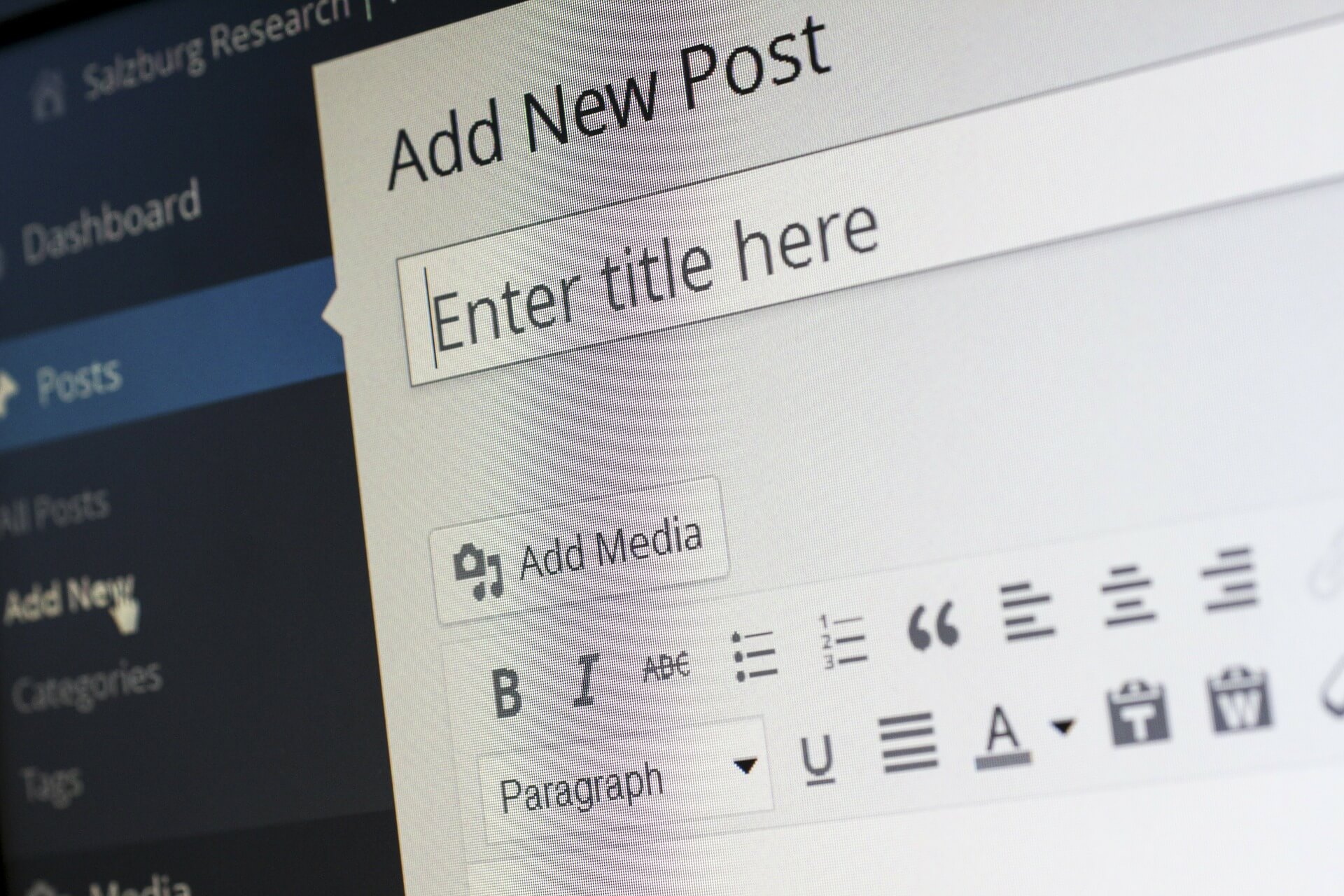
WordPress offers an intuitive dashboard that makes it easy to navigate and manage, even for beginners.
- Simple Dashboard Layout: The WordPress dashboard is logically organised, with menus for posts, media, pages, and settings. This layout simplifies website management, making it accessible for users with little or no technical experience.
- Drag-and-Drop Page Builders: WordPress supports plugins like Elementor and Beaver Builder, which provide drag-and-drop functionality for creating custom page layouts. This allows users to design visually appealing pages without needing coding skills.
- Media Management: WordPress has a built-in media library, making it easy to upload, manage, and embed images, videos, and other media types. This is especially useful for blogs and portfolios that rely heavily on visual content.
With a beginner-friendly interface, WordPress empowers anyone to build and manage a website, whether they’re a novice or a seasoned web developer.
3. Customisation Through Themes and Plugins
One of WordPress’s biggest advantages is the ability to customise your website through an extensive library of themes and plugins.
- Themes for Design Consistency: WordPress offers thousands of free and premium themes, allowing you to choose a design that suits your brand. Premium themes like Divi and Astra offer advanced customisation options, from colour schemes to layout adjustments.
- Plugins for Added Functionality: WordPress has over 50,000 plugins that enhance website functionality, including SEO tools, e-commerce integration, social media sharing, and security features. Plugins like Yoast SEO, WooCommerce, and WPForms are popular for adding specific functionalities.
- Coding Flexibility: For users with coding knowledge, WordPress is an open-source platform that allows custom code. This means you can create custom themes, modify existing ones, or develop your own plugins to meet your unique needs.
Themes and plugins provide the customisation options needed to create a truly unique website, whether you’re building a personal blog or a corporate site.
4. SEO-Friendly Structure for Improved Visibility
WordPress is structured to be SEO-friendly, making it easier for your site to rank well in search engine results.
- Clean Code and SEO-Optimised URLs: WordPress’s code is designed to be clean and well-structured, allowing search engines to crawl and index your site effectively. The platform also offers SEO-friendly URL structures that contribute to higher rankings.
- SEO Plugins: Plugins like Yoast SEO and Rank Math provide tools for on-page SEO, allowing you to optimise meta descriptions, keyword placements, and readability. These plugins make it easier to follow SEO best practices even if you’re new to optimisation.
- Mobile-Friendly Themes: Many WordPress themes are designed to be mobile-responsive, which is essential for SEO since search engines prioritise mobile-friendly websites. A mobile-responsive site improves user experience and can positively impact your search rankings.
With built-in SEO features and powerful plugins, WordPress helps improve site visibility, making it easier to attract traffic and grow your audience.
5. Scalability for Growing Businesses
WordPress’s scalability ensures that your website can grow alongside your business, making it a sustainable, long-term choice.
- Expanding Content and Features: WordPress allows you to start with a simple website and add more pages, content, or features as your business expands. You can easily integrate blogs, e-commerce functions, and membership areas without needing a new platform.
- Hosting Flexibility: WordPress can be hosted on a variety of platforms, including shared, VPS, and dedicated hosting. For high-traffic sites, managed WordPress hosting services like WP Engine and SiteGround provide enhanced performance and security, allowing your site to handle growth.
- Multisite Capabilities: WordPress’s Multisite feature allows you to manage multiple websites from a single installation. This is especially useful for businesses managing several brands, locations, or departments under one online platform.
Whether you’re building a website for a startup or a large organisation, WordPress provides the flexibility and resources to support growth and scalability.
Conclusion
The advantages of WordPress are undeniable. Its flexibility, ease of use, customisation options, SEO-friendly structure, and scalability make it a powerful platform for anyone looking to build a website.
Whether you’re an individual, a small business, or a large corporation, WordPress offers the tools and resources to create a professional, dynamic site that grows with you.
Ready to experience the benefits of WordPress? Dive into the platform today and start building a site that meets your goals and reflects your brand.
Frequently Asked Questions
Q: Is WordPress free to use?
A: Yes, WordPress.org is free to download and use. However, you will need to pay for hosting, and you may choose to purchase premium themes or plugins for additional functionality.
Q: Do I need coding skills to use WordPress?
A: No, coding is not required. WordPress is designed to be user-friendly, with themes and plugins that allow you to customise your site without coding. Coding is only necessary for advanced customisations.
Q: Can I use WordPress for an e-commerce store?
A: Yes, with the WooCommerce plugin, WordPress can function as a full e-commerce platform, allowing you to list products, process payments, and manage orders.
Q: Is WordPress good for SEO?
A: Yes, WordPress is SEO-friendly and offers plugins like Yoast SEO that help you optimise your content, meta descriptions, and more for better search engine rankings.